Customer relationship management software with everything your client needs—and everything you need to manage them.
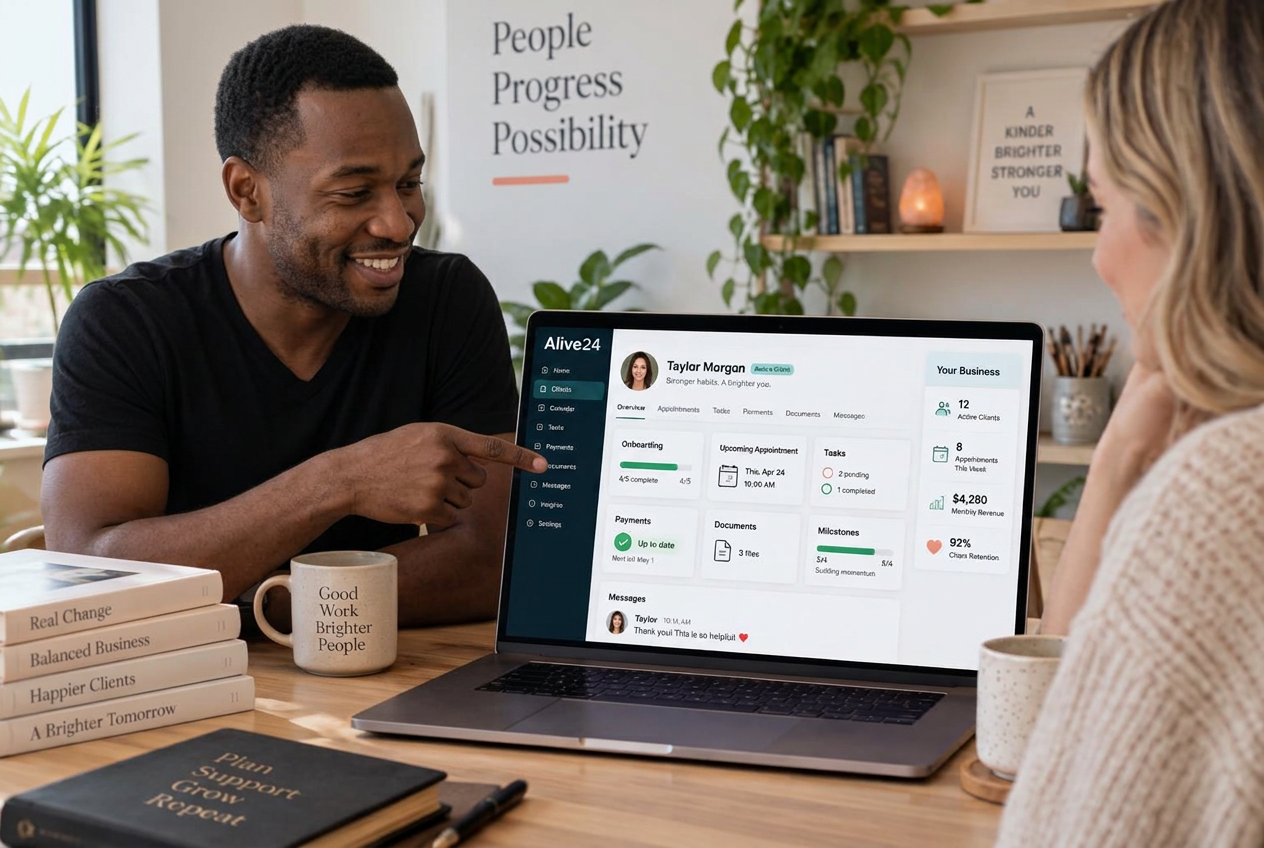
- Welcome and onboarding
- Client dashboard
- Sessions and dates
- Tasks and milestones
- Documents and forms
- Messages together
- Invoices and payments
- Approved updates
- Progress visible
- Next steps clear
- Private notes protected
- One complete history
Is this you?
Small business client management shouldn’t mean endless messages, meetings and scattered notes. Are you one of these people?
You are doing good work. The trouble is that every update, file, payment and next step lives somewhere different—and you are the only person holding it together.

Your clients keep asking for updates
They cannot clearly see what is happening, what has been completed, what comes next or what you need from them.

Your client information is everywhere
Payments live in one app, notes in another, files in folders, tasks in a project tool and conversations on your phone.

Managing the client takes almost as long as doing the work
You spend hours sending updates, arranging unnecessary meetings, chasing information and answering questions a clear client area could resolve.
Client Management Area walkthrough
See client management software for small business turn a new sale into a beautifully managed client journey.
Watch payment or approval move into onboarding, clear client access, connected delivery, shared progress and an organised relationship from start to finish.
- Payment or approval being received
- The client entering onboarding
- Welcome information appearing
- Forms and documents requested
- Sessions, jobs or stages added
- Client and internal tasks created
- Approved updates and images shared
- Progress and milestones updated
- Messages kept with the client
- Invoices and payments available
- Private records kept private
- The client moving toward completion
Prefer to speak to someone? Book a Live Walkthrough
Are you currently doing this?
Great work can still feel chaotic when the client experience is disconnected.
Clients do not see your careful work behind the scenes. They see scattered messages, repeated questions and uncertainty about what happens next. Searching for the best client management software usually ends in yet another app for clients to learn.
Communication everywhere
- Endless WhatsApp messages
- Clients calling for progress updates
- Unnecessary update meetings
Records pulled apart
- Session notes stored separately
- Job photos scattered through phones
- Important decisions lost in threads
Actions easily missed
- Client tasks being forgotten
- Forms and documents sent repeatedly
- Payments disconnected from delivery
Your time interrupted
- Team members missing client history
- Clients unsure what happens next
- Personal time interrupted by updates
You can stop rebuilding the client story in every app. Onboarding, communication, delivery, payments and progress can live on one connected record.
Introducing
Client Management Area inside Alive24.
Not another fixed client-portal template. It becomes the client management system your delivery needs, while the business controls every shared and private detail.
Prefer to speak to someone? Book a Live Walkthrough
 Client welcomed
 Details collected
 Dashboard ready
 Update by voice
 Progress visible
 Messages together
 Documents shared
 Tasks connected
- Private notes protected
 Next step clear
- Milestones tracked
 Dates visible
- Team informed
- Client actions clear
- History complete
- Completion recorded
- Support continues
- One client relationship
Onboard beautifully
Welcome each client with the right information and actions.
Share clear updates
Give clients approved progress without another meeting.
Track every milestone
Make done, now and next easy to understand.
Keep messages together
Attach useful communication to the relationship.
Store every document
Keep forms, files and resources where they belong.
Protect private records
Keep internal notes, costs and discussions private.
Protect your downtime
Give clients clarity without constant availability.
Complete history
Find the sale, work, progress and next step together.
Give clients confidence
Make the experience feel considered and professional.
Update by voice
Record what happened and choose what to share.
- Onboarding
- Client dashboard
- Sessions
- Projects + jobs
- Tasks
- Milestones
- Documents
- Forms
- Messages
- Invoices
- Payments
- Progress
How it works
Set the journey, welcome the client, deliver the work and keep the whole relationship connected.
One clear process, five stages. Click through to see what belongs in the business view and what can be shared with the client.
You voice-note one thing…
“New client signed — onboard them and send the welcome pack.”
One voice note — the whole job runs itself around it
Step 1 · Set up the journey
Set up the client journey
Tell Alive24 what happens after someone buys, what information is needed and what the client should see.
- What happens after purchase
- Information to collect
- What the client sees
- Private business records
- Delivery stages
- Communication choices
Then onboarding, delivery, communication, progress and the client record all agree—without another portal or message thread in the middle.
Solved, in one place
Meet the client area that becomes whatever your business needs it to be.
Alive24 creates a Client Management Area around the way your business actually delivers. You decide what clients see, complete and receive—and what stays private in the back office. If you’re comparing the best client relationship management software, look for one where your records and the client’s view are the same customer relationship management system.

Your client relationship
Welcomed. Informed. Supported. Connected.
Voice note → Onboarding updated
What clients see
Choose the dashboard information, progress, payments and next steps appropriate for each journey.
What they complete
Collect onboarding details, forms, approvals and client-owned tasks in the right order.
How onboarding works
Shape the welcome, first actions, documents and access around the service they bought.
Progress stages
Show useful milestones without exposing private operational detail.
Client tasks
Make responsibilities and due dates clear while internal tasks remain inside the business view.
Files and documents
Make approved forms, resources, images and records available where clients expect them.
Updates and messages
Keep relevant communication attached to the relationship instead of personal message threads.
Team involvement
Give up to three Solo team members access only to the client information relevant to their work.
Private records
Keep internal notes, costs, discussions, CRM information and operations out of the client view.
Completion journey
Carry progress, final actions and ongoing support into one complete client history.
Prefer to speak to someone? Book a Live Walkthrough
Built for real businesses
However you work with clients, give them an experience that feels completely considered.
Custom client management for sessions, jobs, projects, programs and ongoing services.

Massage therapist

Personal trainer

Beauty and skin therapist

Yoga and pilates teacher

Naturopath and nutritionist

Counsellor and psychologist

Physio and chiropractor

Health coach
Massage therapist
Personal trainer
Beauty and skin therapist
Yoga and pilates teacher
Naturopath and nutritionist
Counsellor and psychologist
Physio and chiropractor
Health coach
Electrician

Plumber

Builder and carpenter

Landscaper and gardener

Painter and decorator

Cleaner and home services

Handyman

Property and rental operator
Electrician
Plumber
Builder and carpenter
Landscaper and gardener
Painter and decorator
Cleaner and home services
Handyman
Property and rental operator

Website designer

Social media manager

Business coach

Business consultant

Marketing consultant

PR consultant

Bookkeeper

Accountant

Virtual assistant

Copywriter

Brand and graphic designer

Photographer and videographer

Course creator and tutor

Maker and product seller

Mobile and local operator
Website designer
Social media manager
Business coach
Business consultant
Marketing consultant
PR consultant
Bookkeeper
Accountant
Virtual assistant
Copywriter
Brand and graphic designer
Photographer and videographer
Course creator and tutor
Maker and product seller
Mobile and local operator
Wellness professionals
Appointments, forms, resources, shared actions, payments and appropriate progress.
Trades
Job stages, site dates, approved photos, invoices and completion milestones.
Consultants
Actions, documents, meetings, deliverables and strategic milestones.
Coaches
Goals, sessions, client tasks, resources and progress.
Marketing + creative
Content stages, approvals, deliverables and launch progress.
Professional services
Engagement steps, documents, meetings, decisions and next actions.
Course creators
Access, lessons, progress, reminders and support.
Small teams
Up to three Solo team members working from relevant client context and permissions.
Say what happened
Update the client area as quickly as you can say what happened.
Describe the update in normal language, then choose what stays internal and what becomes visible to the client.
“Add today’s session notes to Luke’s private record, share the three agreed actions with him, remind him before Friday and show the next milestone as in progress.”
- Add today’s session to the private record
- Share these three actions with the client
- Remind them before Friday
- Move the job to stage three
- Upload these site photos
- Tell the client what happens next
- Mark the campaign tasks complete
- Share the approved results
- Request approval for the next stage
- Keep this note internal
- Add the next appointment
- Update the completion milestone
What that normally means
- Opening a project tool
- Writing the update again
- Finding the client thread
- Uploading files elsewhere
- Briefing another person
- Updating progress later
You control the boundary: private notes, internal tasks, costs and team discussions stay private unless you intentionally share approved information.
Time, money and energy saved
Stop repeating updates your clients can already see.
A connected client management system cuts repeated communication and scattered administration without pretending clients can never contact you elsewhere.
What quietly drains the week
- Client-portal subscriptions
- WhatsApp project threads
- Status-update meetings
- Session-note tools
- Shared progress spreadsheets
- Client file folders
- Separate task lists
- Manual onboarding checklists
Time and attention lost to repeated client administration
Inside Alive24
- One professional client dashboard
- Clear progress and milestones
- Documents and updates together
- Connected messaging
- Payments beside delivery
- Client-owned tasks
- Private records protected
- One complete client history
One connected relationship from onboarding to completion
Time and energy returned
- Fewer progress calls
- Fewer repeated messages
- Files in one place
- Reusable onboarding journeys
- Client tasks made clear
- Approved updates shared once
- Notes recorded once
- Small-team handovers with context
Alive24 can centralise ordinary client communication, files and delivery records, but it does not replace specialised clinical, legal or regulated record systems where they are required. Notifications depend on the communication setup you enable.
See full pricingBefore and after
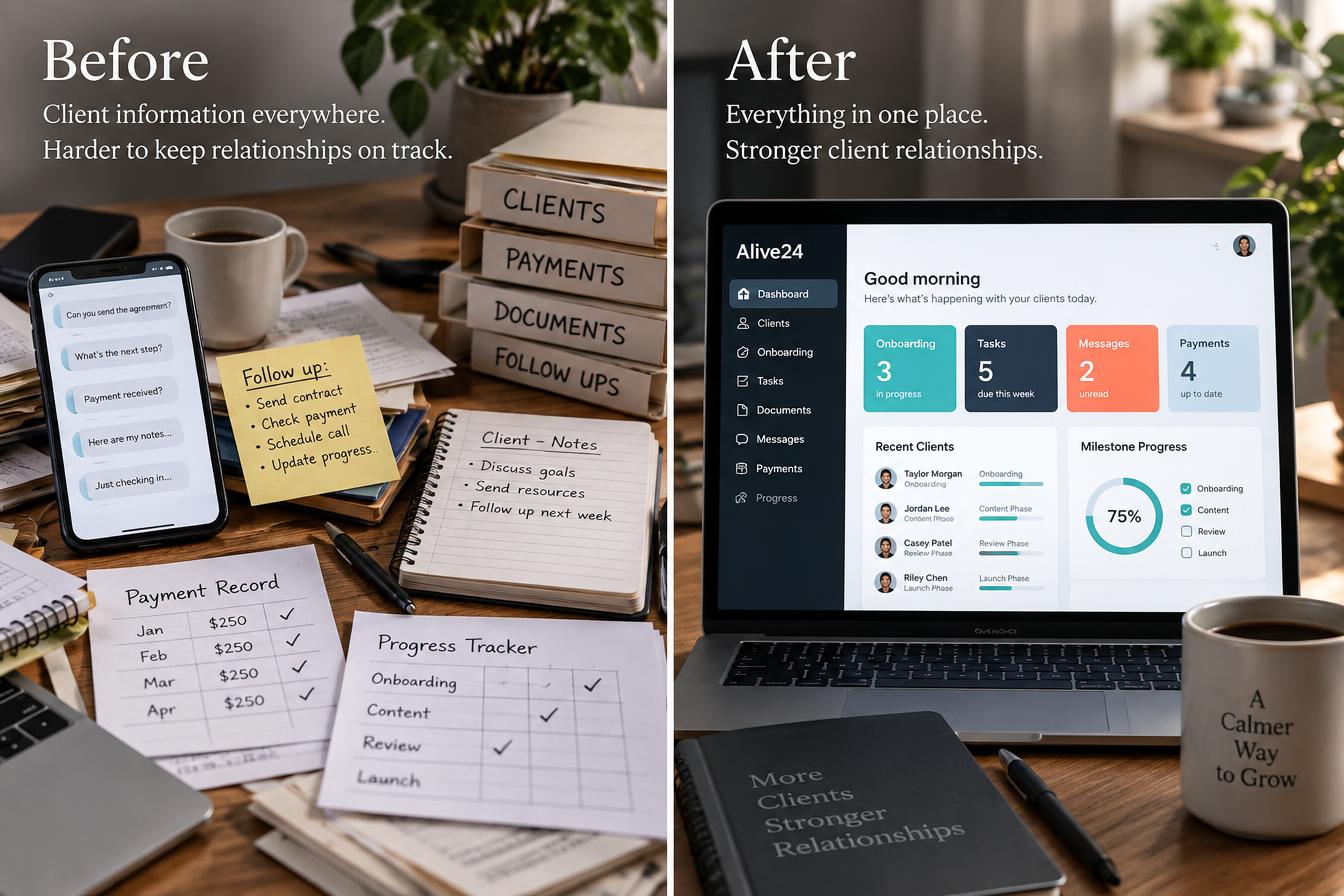
From scattered client administration to one clear relationship.
The same client and the same work—the difference is whether updates, files, actions and progress stay together or disappear across the week.
Before
- Updates repeated in messages
- Files spread across folders
- Progress rebuilt for every call
- Payments disconnected from delivery
- Client tasks easily missed
- Private notes mixed with shared details
- The next step hard to find
After
- One complete client record
- A focused client dashboard
- Payments beside the work
- Approved progress shared clearly
- Internal and client tasks separated
- Private business records protected
- One connected Deliver journey, start to finish
Real examples
One client area—completely different for every kind of business.
The structure adapts to sessions, projects, jobs, campaigns, programs and courses while keeping one complete client record underneath.
- A wellness client viewing appointments, forms, resources, payments and progress
- A trade client viewing job stages, site updates, photos, invoices and milestones
- A marketing client reviewing content stages, approvals, deliverables and launch progress
- A consultant sharing actions, documents, meetings and strategic milestones
- A coach tracking goals, sessions, tasks and resources
- A course client viewing access, progress, reminders and support
- A client completing an onboarding form
- A business owner keeping session notes private
- A small team member updating assigned client work
- A client checking an outstanding payment
- A project milestone moving to approved
- A document becoming available to the client
- An approved update replacing a status call
- A completed client staying connected for ongoing support
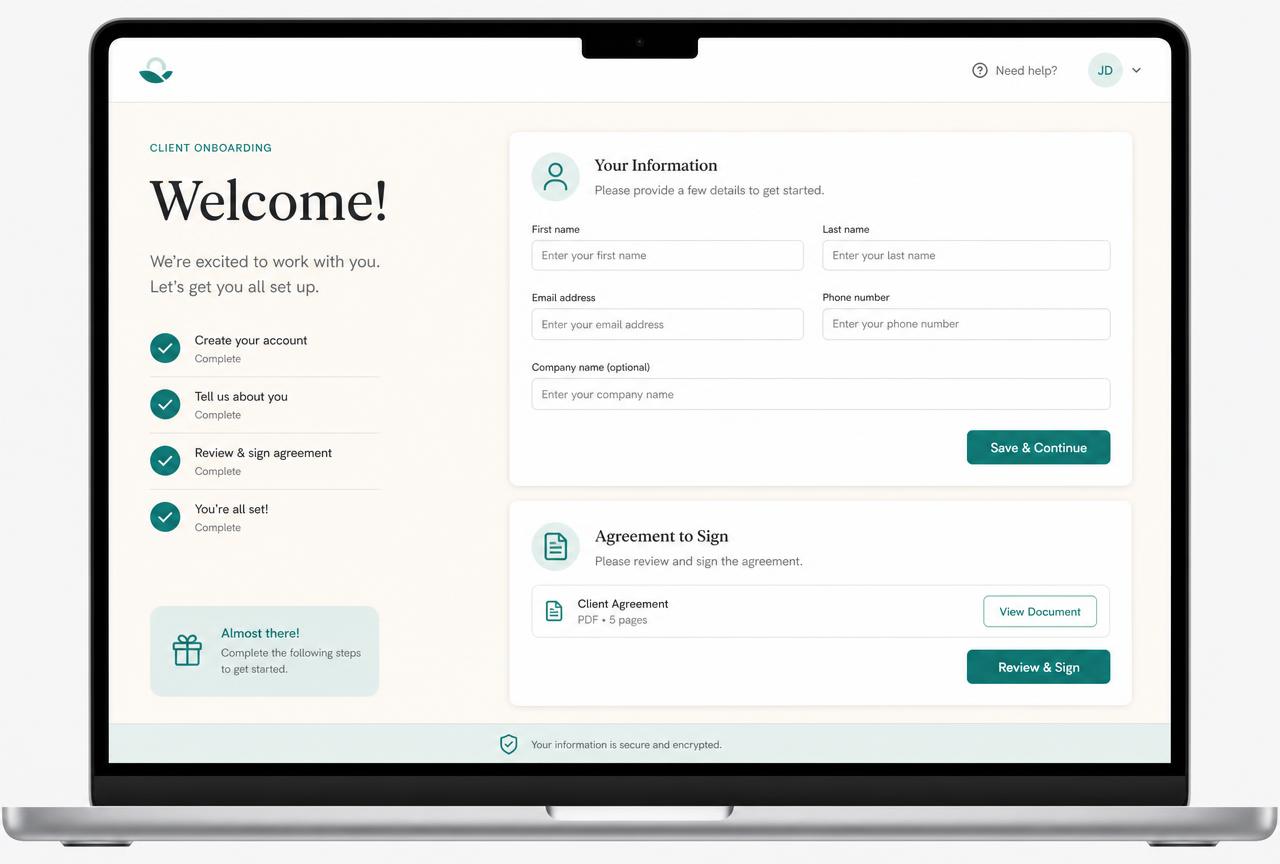 Onboarding
A clear welcome and first step
Information, forms, dates and responsibilities begin in one place.
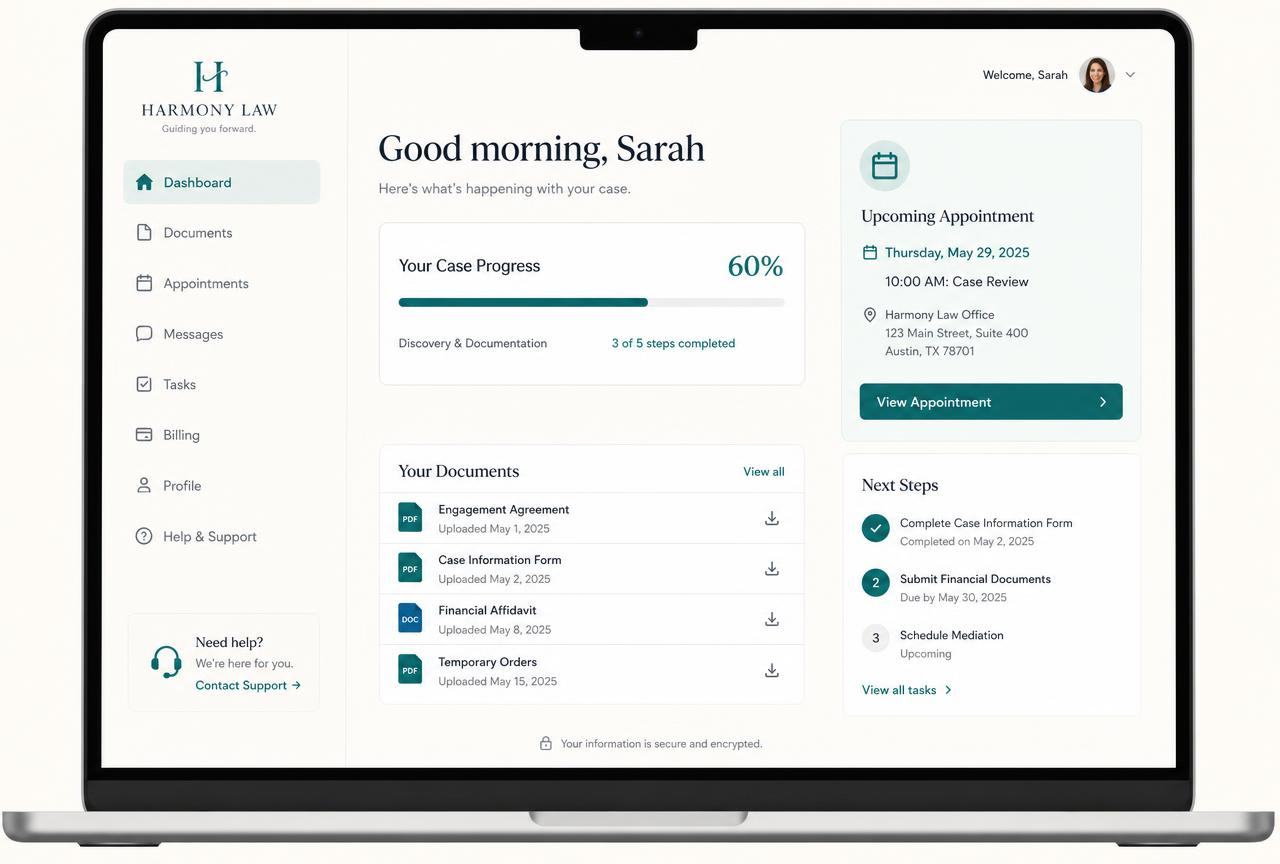 Client dashboard
Only what the client needs
Approved tasks, updates, documents, payments and progress.
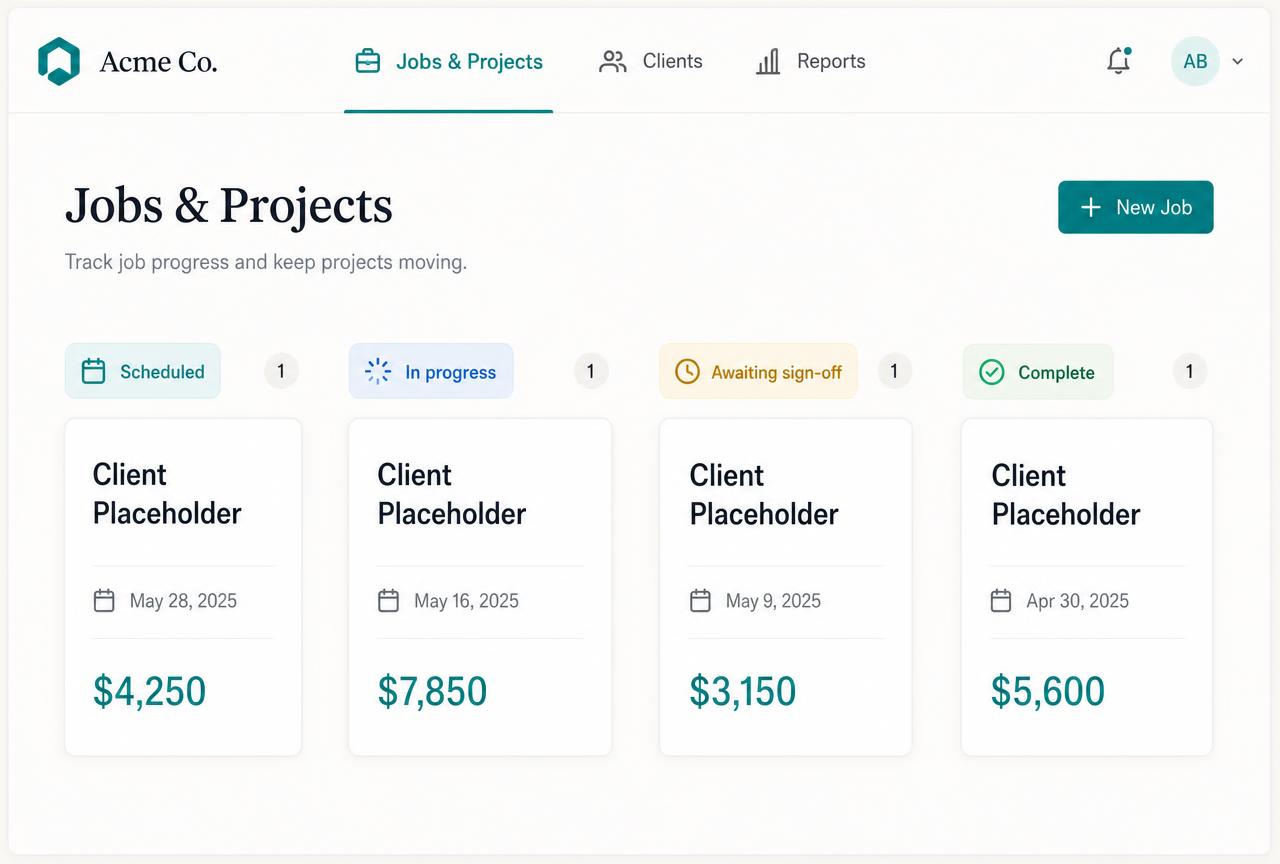 Projects + tasks
Delivery connected to the person
Jobs, sessions, milestones and assigned work stay on the record.
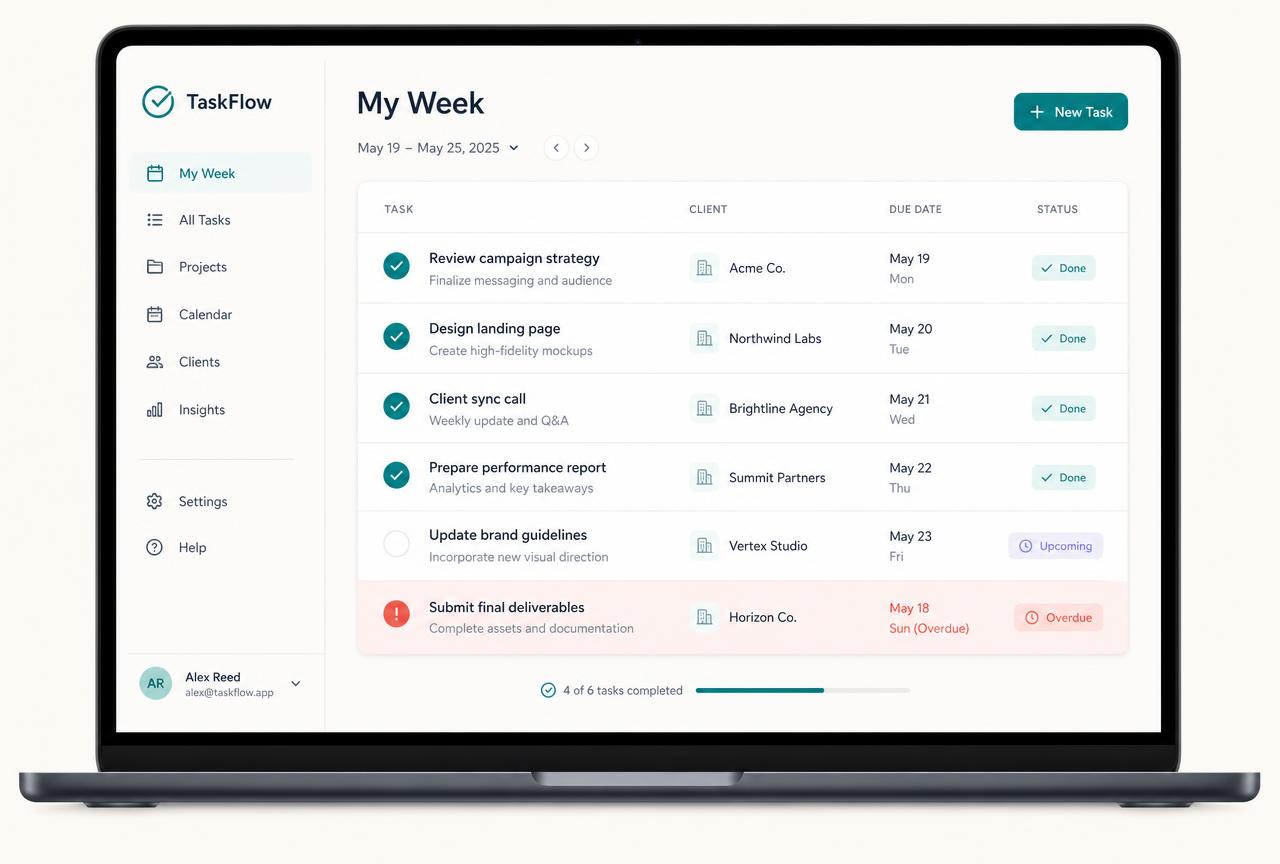 Messages + documents
Context that does not disappear
Relevant communication and shared files remain easy to find.
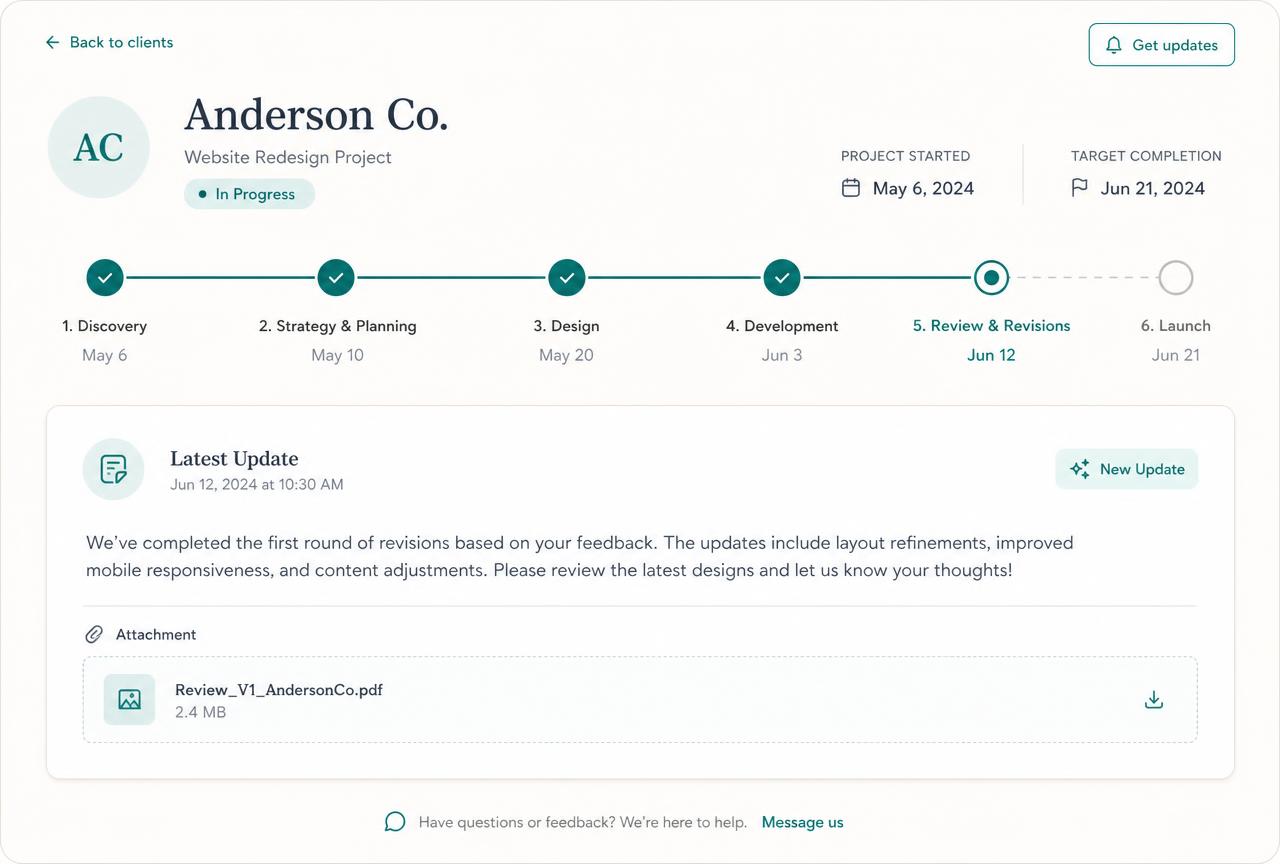
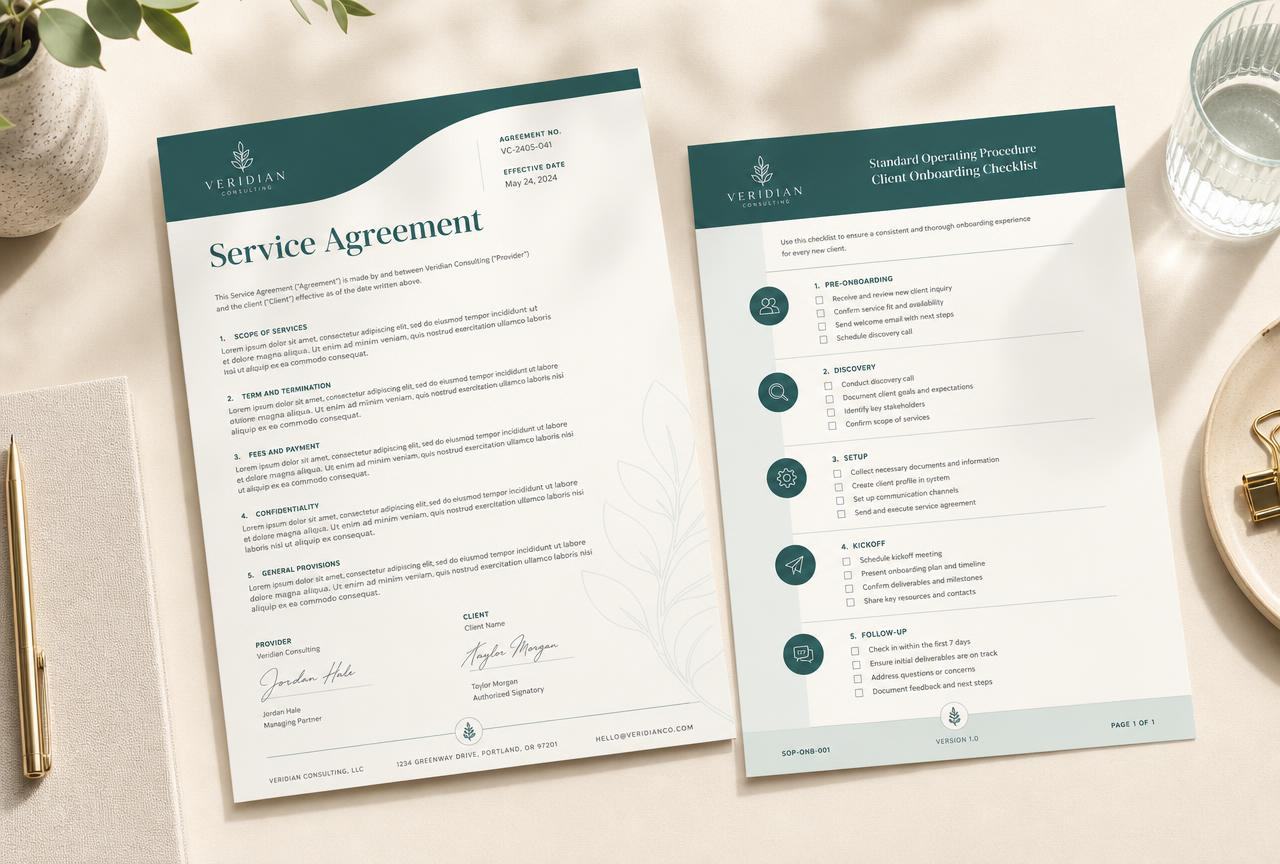 Progress
Done, now and next
A clear view of milestones without exposing internal operations.
 Complete history
The whole relationship together
Sale, payments, delivery, completion and ongoing support remain connected.
Swipe or scroll for more
Prefer to speak to someone? Book a Live Walkthrough
Two connected views
One complete client record. Two perfectly clear views.
The business gets the complete management picture. The client gets a professional, focused version containing only what they need.
- Previous lead and sales history
- Package purchased
- Invoices and payment status
- Sessions, projects or jobs
- Internal and client tasks
- Private and shared notes
- Team activity
- Progress and milestones
- Documents and messages
- Required next actions
See the complete client relationship without automatically exposing internal costs, private notes, CRM information or team discussions.
A consultant sees the sale, payment, private notes, project stages, assigned work and next decision on one connected record.
- Welcome and onboarding
- Upcoming sessions or dates
- Tasks they need to complete
- Approved documents and forms
- Invoices and payment records
- Shared progress and milestones
- Messages and updates
- Images and files
- What happens next
- A clear support option
Give clients confidence and clarity while the business remains firmly in control of what becomes visible.
A trade client sees the next site date, approved photos, invoice status, job milestone and next step—without seeing internal margins or discussions.
See a real client dashboardReal proof
The client sees clarity. You keep the complete picture.
Working Alive24 examples show onboarding, a focused client dashboard, projects, tasks, documents, progress and the wider business view connected to the same relationship.
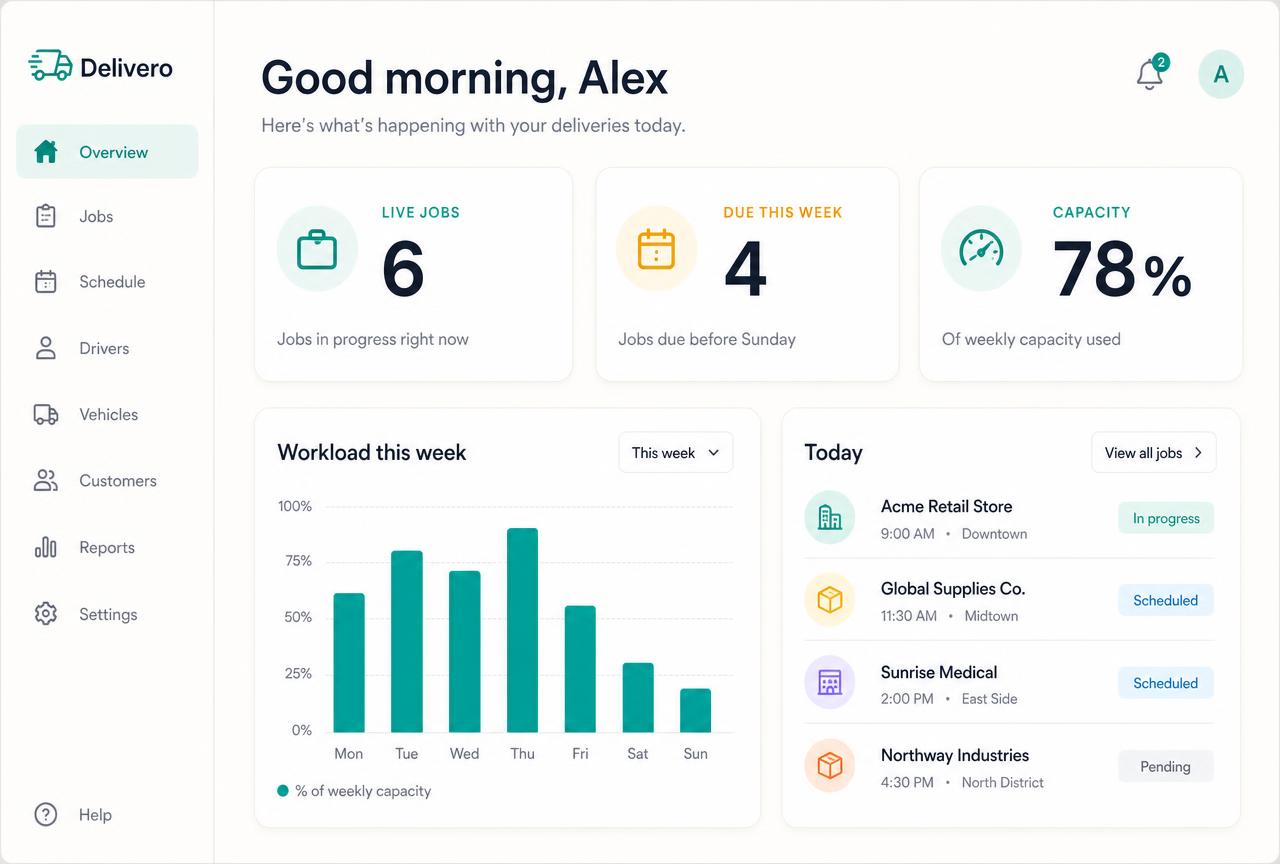
These are realistic Alive24 product examples. The exact view is customised to the business, service and information the client should receive.
Prefer to speak to someone? Book a Live Walkthrough
Prefer to speak to someone? Book a Live Walkthrough
What you actually receive
Everything the client needs—without showing them everything in your back office.
A clear client dashboard backed by the complete private management record.
Welcome
Onboarding and next actions
- Welcome message and expectations
- Forms and details to complete
- Upcoming sessions or dates
- The next clear action
Deliver
Work, tasks and milestones
- Package, project or job
- Client-owned tasks
- Approved progress and milestones
- Recent updates and files
Connect
Messages, documents and payments
- Relevant messages together
- Approved documents and forms
- Invoices and payment records
- Support or contact option
Protect
A private business view behind it
- Internal notes and costs
- Internal tasks and discussions
- Private CRM information
- Access controlled by the business
Prefer to speak to someone? Book a Live Walkthrough
One professional client dashboard
Everything the client needs—without showing them everything in your back office.
The client sees a clean, useful home for their relationship. The business keeps the complete management detail behind it.
“Taylor Morgan · strategy package · milestone three in progress”
One useful client view backed by the complete private business record and delivery history.
- 01
The client sees what matters
Welcome information, dates, tasks, approved documents, payments and progress appear in one calm view.
- 02
The business keeps the complete context
The sale, private notes, internal work, costs and team activity remain connected behind the client view.
- 03
Every update moves the relationship
A completed action or approved update changes the record and makes the next step clear.
- Welcome message
- Package, project or job
- Upcoming sessions or dates
- Progress
- Milestones
- Client tasks
- Recent updates
- Messages
- Documents
- Forms
- Images or files
- Invoices
- Payment status
- Next step
- Support or contact option

Prefer to speak to someone? Book a Live Walkthrough
Fewer apps. Fewer interruptions. A clearer client relationship.
One connected client relationship instead of another pile of apps and messages.
Client management lives beside the sale, delivery and payment record—without publishing private back-office information to the client.
From approval to ongoing support
See exactly how the client moves from a clear yes into organised delivery and ongoing support.
- 01
Approval or payment
The agreed sale and payment status remain connected when the relationship moves into delivery.
Ready to begin
- 02
Onboarding
The client receives the right welcome, forms, documents, dates and first actions.
A clear start
- 03
Client area
A focused dashboard shows only the information and actions the client needs.
One clear home
- 04
Sessions or jobs
Appointments, projects, jobs or programs stay connected to the client and agreed work.
Delivery organised
- 05
Tasks + milestones
Internal work and client responsibilities move through clear stages and due dates.
Nothing forgotten
- 06
Updates + messages
Approved updates, files and relevant conversations stay attached to the relationship.
Context preserved
- 07
Progress
Done, now and next become visible without exposing private operational detail.
Confidence grows
- 08
Completion + support
Completion, feedback and future support remain part of one complete client history.
Relationship continues
- No scattered update threads
- No repeated file sending
- No progress spreadsheet
- No client history rebuilt
Prefer to speak to someone? Book a Live Walkthrough
Connected, not bundled
Every client connects to the rest of the business.
The client record carries the original sale through onboarding, payment, sessions, work, communication, progress and ongoing support—without turning each stage into another disconnected admin job.
- 1Projects + JobsCarries the client’s projects, jobs, stages and delivery history.
- 2Tasks + WorkflowsCreates the internal and client actions behind each stage.
- 3Team SchedulingDecides when the work happens and who is responsible.
- 4Team ManagementHolds the roles, access, agreements and approved hours behind each person.
- 5AI Operations ManagerFlags delays, overruns, missing notes and the decisions that need you.
- 6Bookings + CalendarSupplies upcoming sessions, dates and booked work.
- 7Proposals + QuotesPreserves the work and terms originally agreed.
- 8Invoices + PaymentsKeeps payment records beside delivery without exposing private finances.
- 9CRM + PipelineCarries the full relationship history from enquiry onward.
- Projects + Jobs carries the client’s delivery stages
- Tasks + Workflows creates the right internal and client actions
- Courses connects learning and progress
- Bookings + Calendar supplies sessions and dates
- Proposals + Quotes preserves what was agreed
- Invoices + Payments keeps payment records visible
- CRM + Pipeline carries the full relationship history
- Expenses + Receipts connects delivery costs privately
- Business Dashboard shows the wider business picture
- The Client Management Area is part of Alive24. Clients see only the information you intentionally make visible; internal notes, costs, CRM details and team discussions remain private. The plan starts with one person, with extra paid seats available up to 3 seats.
Protect your client time
Give clients clarity without giving every update twice.
See where repeated messages, progress calls, missing files and disconnected records are taking time away from the work your clients actually value.
Take the 2-minute client-management check
Free, no commitment, with a practical summary of the client administration to connect.
Start with SolomonPrefer to speak to someone? Book a Live Walkthrough
Explore the connected system
See how one client connects across delivery, sales and your numbers.
The Client Management Area sits at the centre of Deliver while preserving the original sales, bookings and payment context.
You
One voice note. One change.
Voice note → Website updated
Prefer to speak to someone? Book a Live Walkthrough
Questions
Client Management Area—the questions owners actually ask.
Still unsure? The full demo answers most of it in a few minutes, without a sales call.
Ready to give every client one clear, professional place to be?
See how Alive24 brings onboarding, communication, payments, sessions, jobs, documents and progress into one completely customisable client experience.
Book a Live Walkthrough
See the business and client views working together across a complete delivery journey.
Book a Live WalkthroughSee How Deliver Works
Explore how onboarding, client management, projects, tasks, documents and courses stay connected.
See How Deliver WorksGet Alive24
Own the complete connected system, including the Client Management Area and every Deliver tool.
Get Alive24