
Track business expenses without losing receipts—and see what the work really costs.
Track business expenses the moment you spend: snap or upload the receipt, check it, categorise it and connect it to the client or job it belongs to.

- Snap the receipt
- Upload the bill
- Check the details
- Choose a category
- Connect to a job
- Record cash spend
- Keep the image
- Search later
- See real costs
- Compare the budget
- Export for tax
- Nothing lost
Is this you?
If your receipts live in a glovebox, this receipt tracking app is for you.
Most owners lose receipts before they lose money. A receipt keeping app inside one business expense management app keeps every cost where you can find it.

Your receipts are everywhere
A glovebox, a wallet, a drawer and three photo albums—then a frantic weekend before every deadline.

You rebuild costs from memory
Categories guessed months later from a bank statement, with the faded receipts long gone.

You do not know what a job really cost
Materials bought for a job, never recorded against it, so profitable-looking work quietly loses money.
Expenses + Receipts walkthrough
See how to track business expenses as a receipt at the counter becomes a connected cost record.
Watch a receipt tracker turn a photo into a checked, categorised record connected to the work—simple job costing software without the spreadsheet.
- Receipt photographed
- Image stored
- Details reviewed
- Supplier recorded
- Amount confirmed
- Category chosen
- Client attached
- Job attached
- Cash spend recorded
- Budget updated
- Cost visible on the job
- Ready for export
Prefer to speak to someone? Book a Live Walkthrough
Are you currently doing this?
Reconstructing spend months later is slow, stressful and inaccurate.
Costs recorded at the counter take seconds. Costs rebuilt at tax time take days and still miss things.
Receipts get lost
- Paper fades and disappears
- Photos buried in a camera roll
- Email receipts never filed
Categories are guesses
- Spend classified months later
- Cash payments vanish
- Personal and business mixed
Job costs stay invisible
- Materials never linked to a job
- Billable costs absorbed
- Profit per job unknown
Tax time becomes a weekend
- A shoebox to sort
- Records rebuilt from statements
- Accountant charging for the mess
You can stop rebuilding your spend. Every receipt can be recorded once, categorised and connected to the work it belongs to.
Introducing
Expenses + Receipts inside Alive24.
Track business expenses the moment you spend: snap or upload the receipt, check it, categorise it and connect it to the client or job it belongs to.
Prefer to speak to someone? Book a Live Walkthrough
 Snap
Snap Upload
 Check
Check Categorise
 Connect
 Track
Track Export
Snap it
Photograph the receipt at the counter.
Upload it
Add a bill or emailed invoice.
Say it
Record a cash cost by voice.
Check it
Confirm the details yourself.
Categorise
Plain categories, not jargon.
Connect
Attach it to client or job.
Budget
Recorded spend against plan.
Find it
Search by supplier or month.
Job cost
See what work really cost.
Export
Clean records for the accountant.
- Snap the receipt
- Upload the bill
- Check the details
- Choose a category
- Connect to a job
- Record cash spend
- Keep the image
- Search later
- See real costs
- Compare the budget
- Export for tax
- Nothing lost
How it works
From a receipt in your hand to a cost you can actually use.
Five simple steps. Click through to see how a cost gets recorded once and stays useful.
You voice-note one thing…
“Here's the receipt from this morning — log it against the job.”
One voice note — your numbers update themselves around it
Step 1 · Add it
Add the receipt or expense
Add the cost at the moment it happens, in whichever way is fastest.
- Photograph it
- Upload a file
- Forwarded email
- Say the amount
- Type it manually
- Cash spend
Then the budget, the job cost and the accountant export all agree—because they come from the same record.
Solved, in one place
Meet the expense record built for someone standing at a trade counter.
Add the receipt while it is in your hand, confirm what it says and connect it to the work it belongs to.

One owner
One connected set of numbers
Voice note → Leads updated
Photograph a receipt
Capture it at the counter and keep the image with the record.
Upload a bill
Add a PDF or emailed invoice to the same place.
Check the details
Confirm supplier, amount, date and tax before saving.
Choose the category
Plain categories that match how you actually spend.
Connect the work
Attach the cost to a client, project or job where relevant.
Record cash spend
Cash and petty spending get a record rather than disappearing.
Recurring costs
Regular bills and subscriptions recorded and reviewable.
Search and find
Find any cost by supplier, category, job or month.
Budget comparison
Recorded spend appears against your business budget.
Clean export
Exportable records with images for your accountant.
Prefer to speak to someone? Book a Live Walkthrough
Built for real businesses
What costs look like in your business.
Different spend, same discipline.

Massage therapist

Personal trainer

Beauty and skin therapist

Yoga and pilates teacher

Naturopath and nutritionist

Counsellor and psychologist

Physio and chiropractor

Health coach
Massage therapist
Personal trainer
Beauty and skin therapist
Yoga and pilates teacher
Naturopath and nutritionist
Counsellor and psychologist
Physio and chiropractor
Health coach

Electrician

Plumber

Builder and carpenter

Landscaper and gardener

Painter and decorator

Cleaner and home services

Handyman

Property and rental operator
Electrician
Plumber
Builder and carpenter
Landscaper and gardener
Painter and decorator
Cleaner and home services
Handyman
Property and rental operator

Website designer

Social media manager

Business coach

Business consultant

Marketing consultant

PR consultant

Bookkeeper

Accountant

Virtual assistant

Copywriter

Brand and graphic designer

Photographer and videographer

Course creator and tutor

Maker and product seller

Mobile and local operator
Website designer
Social media manager
Business coach
Business consultant
Marketing consultant
PR consultant
Bookkeeper
Accountant
Virtual assistant
Copywriter
Brand and graphic designer
Photographer and videographer
Course creator and tutor
Maker and product seller
Mobile and local operator
Trades
Materials per job, vehicle costs, tools and consumables, with billable items flagged.
Wellness practitioners
Room hire, products, insurance, professional fees and equipment.
Coaches
Software, advertising, training and contractor costs tracked against programs.
Consultants
Travel, research, subscriptions and subcontractor costs per engagement.
Makers
Materials and packaging costed per commission, plus stock purchases.
Small agencies
Tool subscriptions and contractor spend attributed to each client.
Say it out loud
Record the cost by simply saying what you spent.
Speak the details, review what was captured and confirm before it is saved.
“Stage two is complete. Upload these photos, update the client and remind me to send the second invoice tomorrow.”
- Forty dollars of fuel
- Materials for the Hillcrest job
- Twelve dollars parking, cash
- Add the insurance payment
- Software subscription monthly
- Timber from the merchant
- Attach that to the client
- Mark it as billable
- Categorise as travel
- Add a photo to that
- Show this month's spend
- What did that job cost?
What that normally means
- Stuffing receipts in a glovebox
- Typing a spreadsheet at night
- Guessing categories later
- Losing cash payments
- Searching bank statements
- Sorting a shoebox in April
Alive24 turns what you say into a draft record you review and confirm. Receipt reading is a starting point, not a guarantee—you always check the numbers.
Time, money and energy saved
Stop paying twice for spending you never recorded.
Record it once at the counter and stop rebuilding the year before every deadline.
What quietly drains the month
- Receipt scanning subscriptions
- Expense app subscriptions
- Spreadsheets of costs
- Weekend sorting sessions
- Bank-statement archaeology
- Unbilled materials
- Unknown job costs
- Accountant tidy-up fees
Days a year rebuilding records, plus the costs you never claimed
Inside Alive24
- Receipts captured in seconds
- Images kept with records
- Plain categories
- Cash spend recorded
- Costs attached to jobs
- Billable items flagged
- Budget comparison
- Clean export
One habit at the moment of purchase
Time and clarity returned
- No shoebox weekends
- No guessed categories
- Materials billed rather than absorbed
- Real cost per job
- Subscriptions reviewed
- Budget kept honest
- Faster accountant handover
- Less deadline stress
Alive24 is not a bank, payment processor, accountant, bookkeeper or tax, financial or investment adviser, and it is not enterprise accounting software. Budgets, records, inventory, projections and reports reflect the information and assumptions you enter. Keep your accountant for tax, compliance and advice.
See full pricingBefore and after
From a glovebox of paper to costs you can actually read.
The same spending—the difference is whether it is recorded at the counter or rebuilt from memory in April.
Before
- Receipts in the glovebox
- Categories guessed later
- Cash spend forgotten
- Job costs unknown
- Billable materials absorbed
- A weekend before tax time
- Accountant charging for mess
After
- Receipt captured at the counter
- Category chosen at the time
- Cash spend recorded
- Cost attached to the job
- Billable items flagged
- Records already tidy
- Clean export ready
Real examples
Perfect for spending that happens while you are working.
The same simple record works for materials, travel, tools, subscriptions and professional costs.
- A trades business recording materials per job
- A wellness practice recording room hire and products
- A consultant recording travel and research costs
- A coach recording software and advertising spend
- A maker recording materials and packaging
- A creative business recording subscriptions honestly
- Cash parking recorded by voice
- A fuel receipt photographed at the pump
- An annual insurance bill uploaded once
- Billable materials flagged for the invoice
- A job's real cost visible after completion
- Subscriptions reviewed and cancelled
- A month of spend compared with budget
- A clean export handed to the accountant
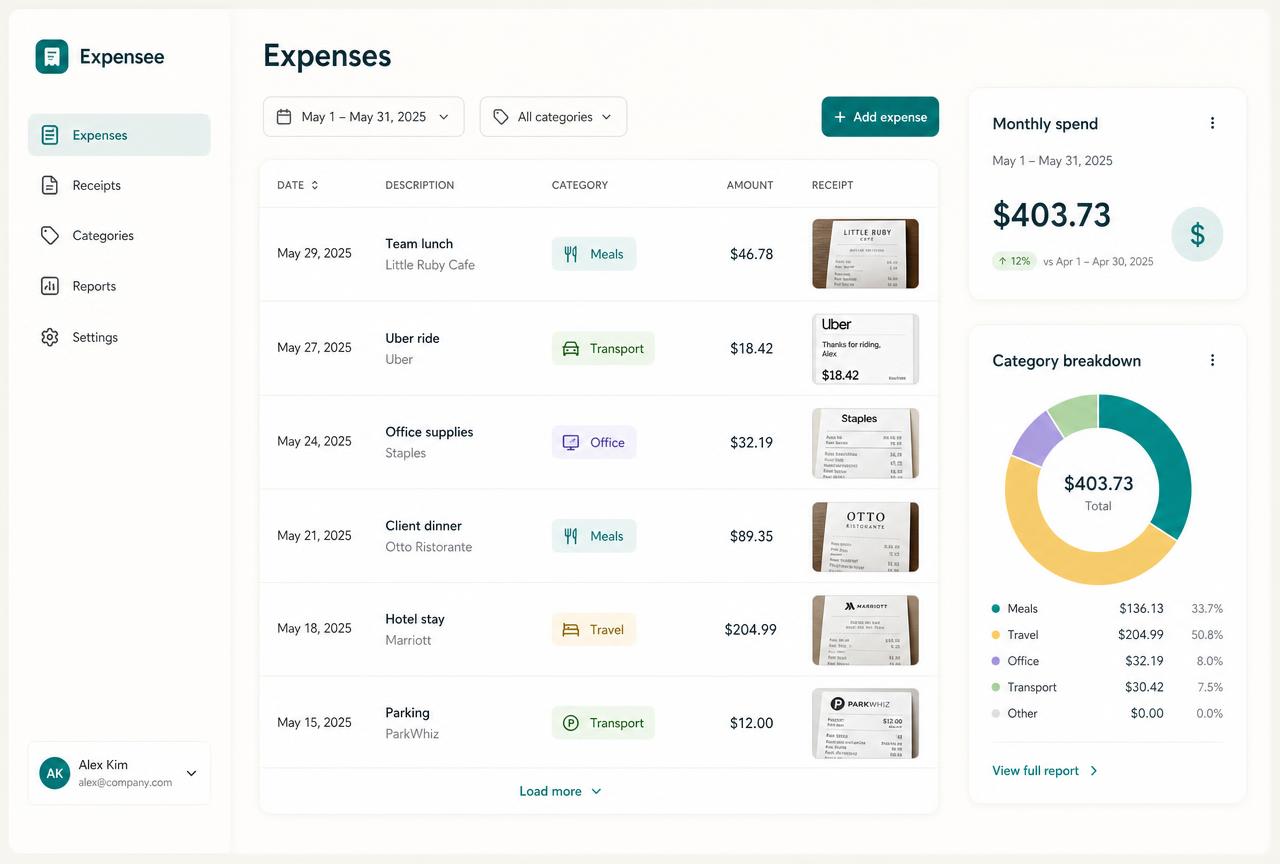 Capture
Recorded in seconds
Photographed or spoken at the moment of purchase.
 Check
CheckYou confirm the details
Supplier, amount, date and tax reviewed.
 Category
Plain grouping
Categories that match your budget.
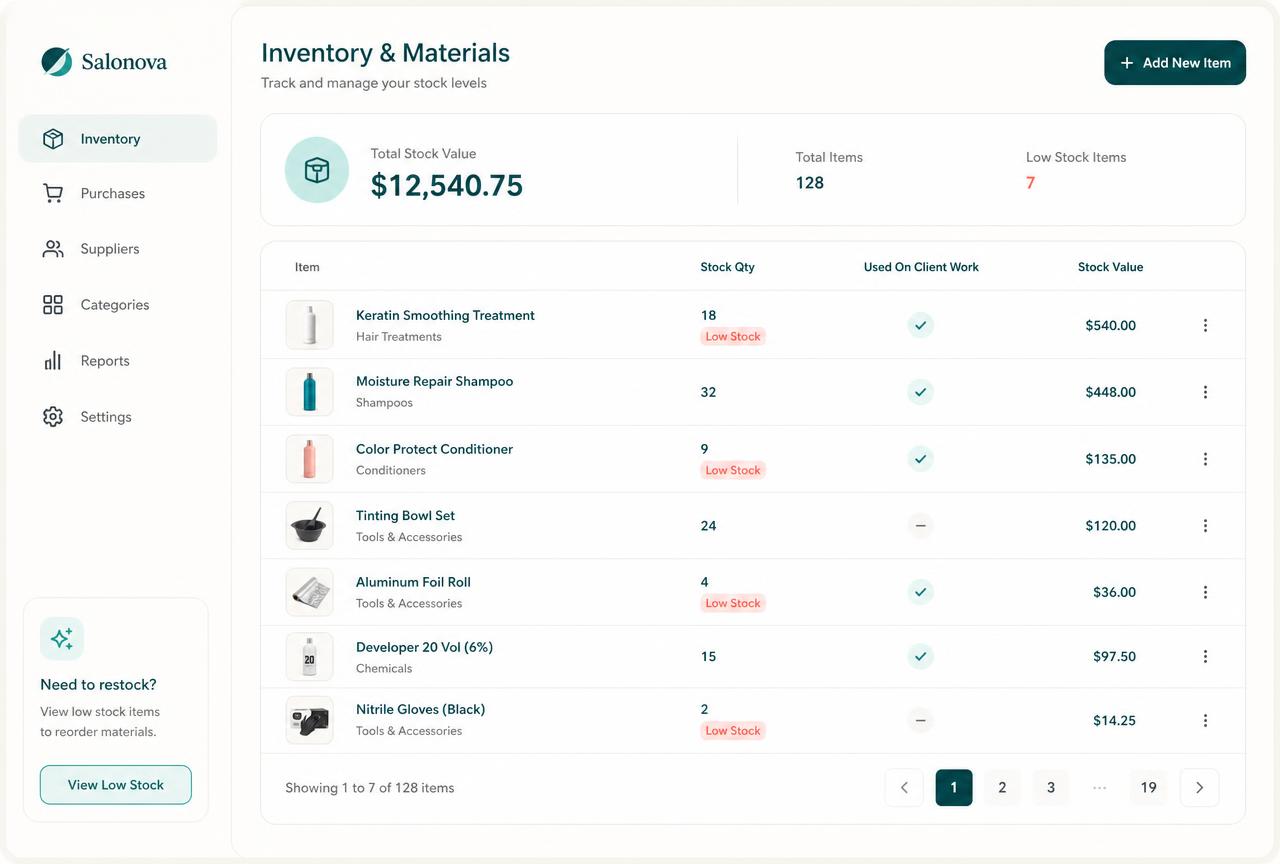 Job cost
Attached to the work
Real cost per client, project or job.
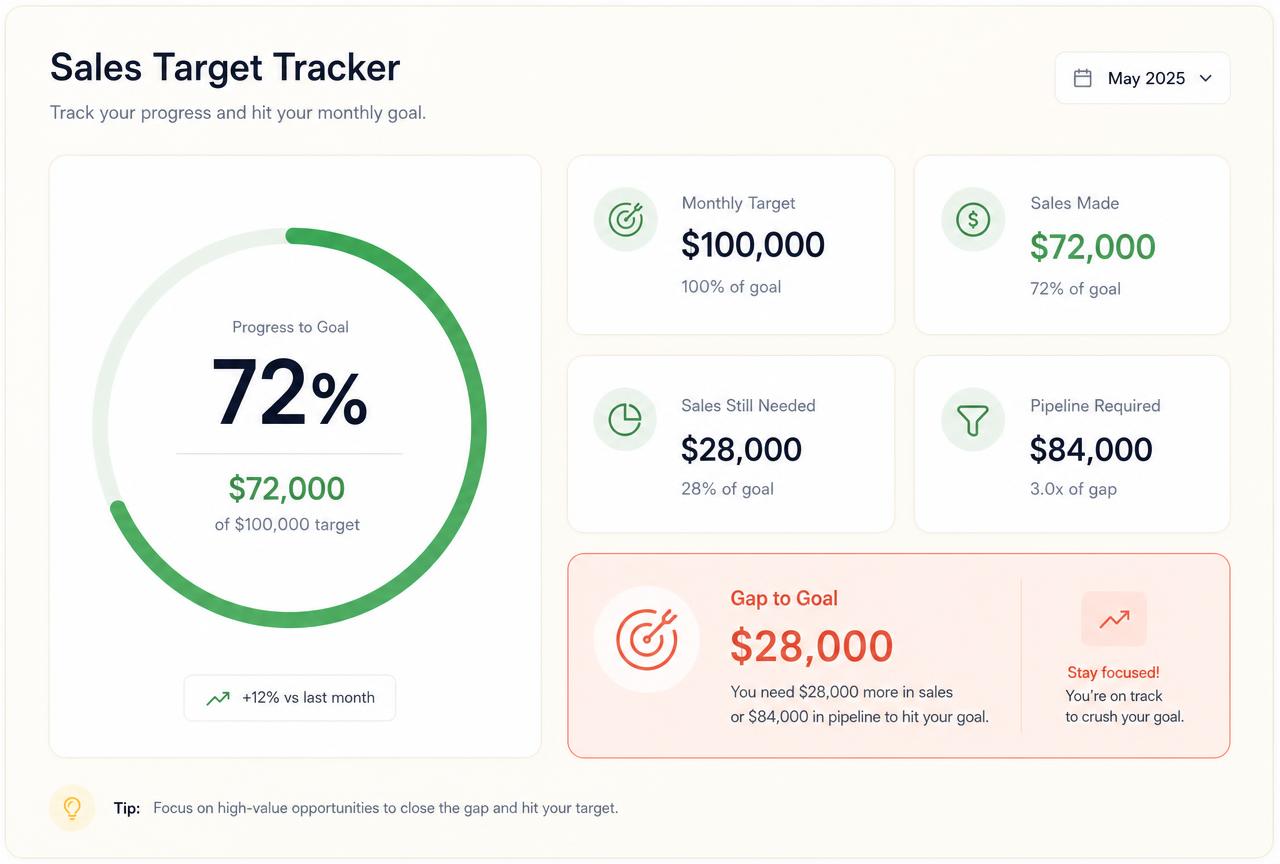 Budget
Compared with the plan
Recorded spend against what you intended.
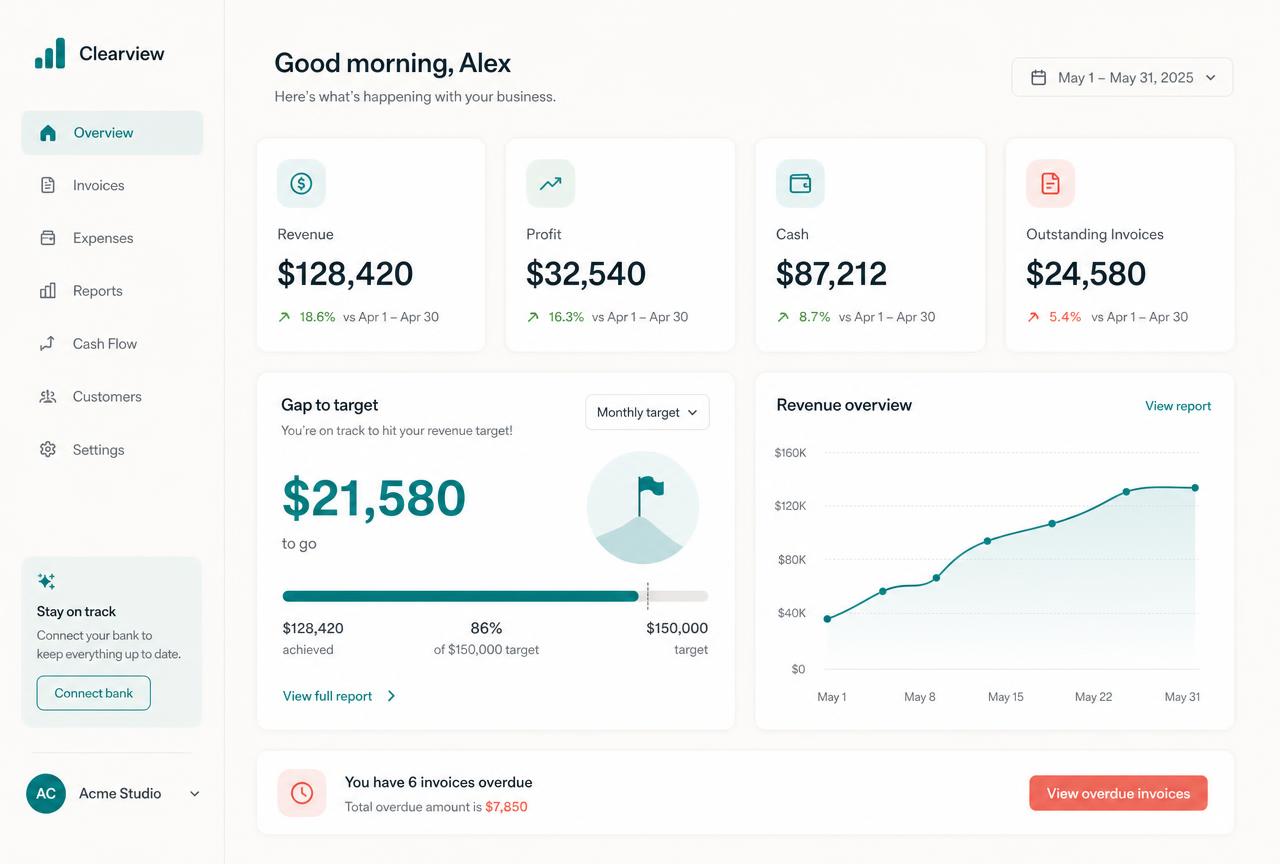 Export
Ready for the accountant
Clean, categorised records with images.
Swipe or scroll for more
Prefer to speak to someone? Book a Live Walkthrough
Two simple views
Add it however suits the moment—the record ends up the same.
Whether you photograph it, upload it or type it, the cost lands in the same connected record.
- Photo at the counter
- Uploaded PDF
- Emailed invoice
- Image kept
- Supplier read
- Amount confirmed
- Date confirmed
- Tax noted
- Category chosen
- Job attached
Capture it while it is in your hand and confirm the details in seconds.
Materials bought on the way to site are photographed at the counter and attached to that job before you drive away.
- Say the amount
- Say the supplier
- Cash payment
- Petty spend
- Mileage note
- Recurring bill
- Manual category
- Client attached
- Project attached
- Reviewed and saved
When there is no receipt, the cost still gets recorded rather than forgotten.
A cash payment for parking is recorded by voice, categorised as travel and attached to the client visit.
See a real expenses + receipts exampleReal proof
Costs stay recorded—so profit stops being a guess.
Working Alive24 examples show captured receipts, checked details, chosen categories, attached jobs and monthly cost views.
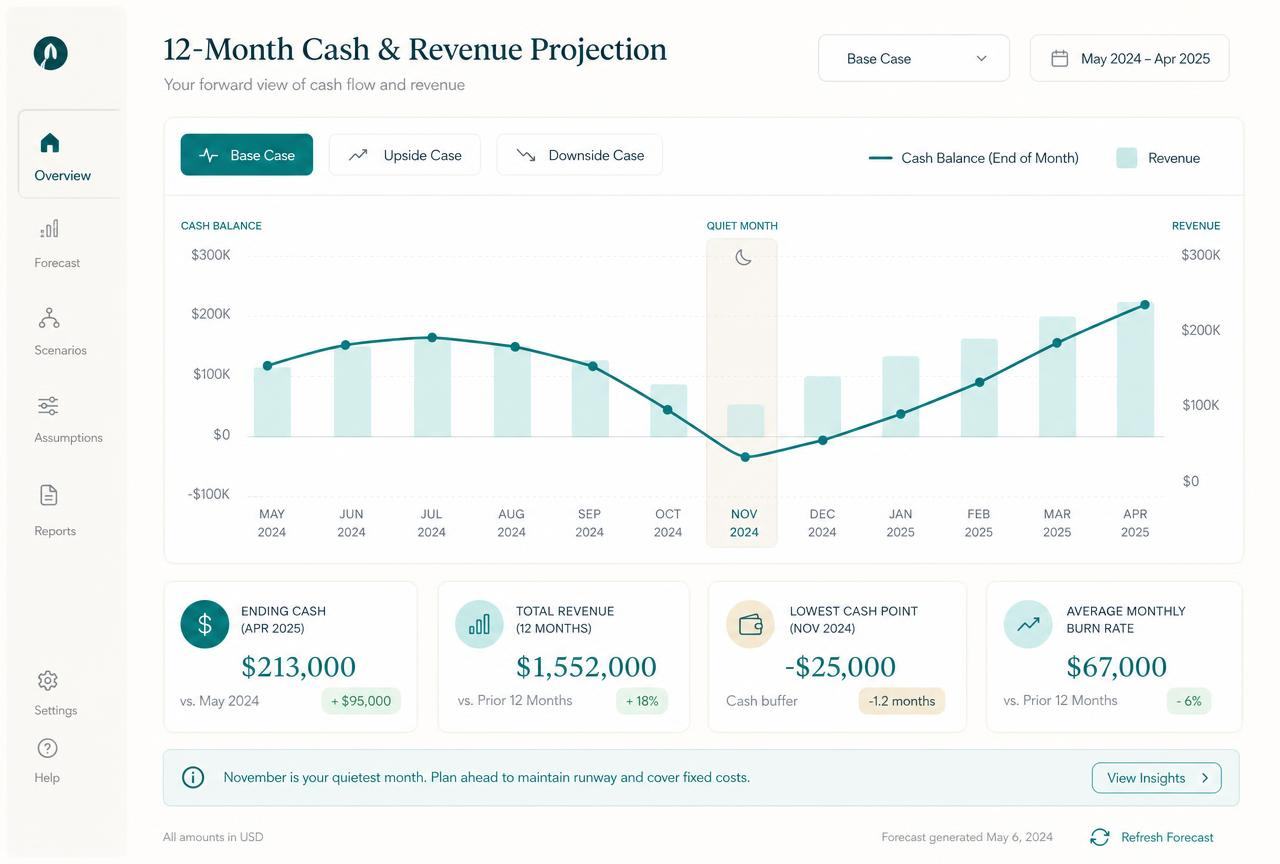
These are realistic Alive24 product examples. Receipt details are always reviewed by you before a record is saved.
Prefer to speak to someone? Book a Live Walkthrough
Prefer to speak to someone? Book a Live Walkthrough
What you actually receive
Capture once, and it is handled.
Expenses recorded where the work and the money already live.
Capture
Seconds, at the counter.
- Photograph a receipt and have it read automatically
- Amount, supplier, date and tax extracted
- Email receipts forwarded straight in
- Recurring bills recorded automatically
- Mileage and travel logged
Organise
Categorised without you thinking about it.
- Automatic expense categories
- Tax treatment recorded correctly
- Business versus personal separation
- Supplier history in one place
- Searchable, with the original image kept

Attribute
Costs land against the right work.
- Materials attached to a job or client
- Billable costs flagged for invoicing
- Job profitability calculated properly
- Cost per service type over time
- Nothing bought and forgotten
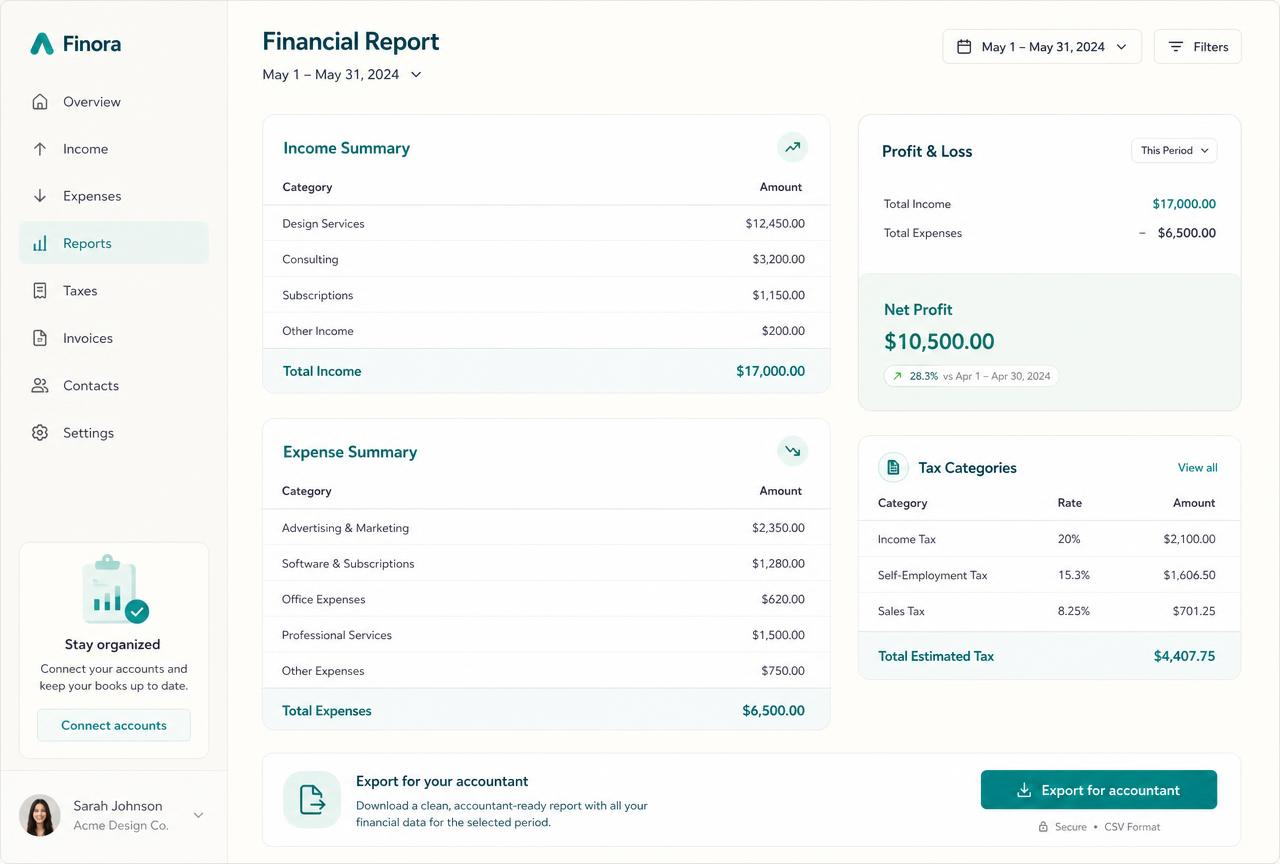
Report
Ready when your accountant asks.
- Tax-ready expense records with images
- Monthly and annual cost summaries
- Export for your accountant or tax return
- Costs shown against income on your dashboard
- Trends so rising costs get noticed
Prefer to speak to someone? Book a Live Walkthrough
A simple, readable view
See the cost, the category, the job and the real profit effect.
Enough detail to know what work actually costs—without accounting jargon.
“Timber and fixings · attached to the Hillcrest job”
Receipt image, checked details, chosen category and the job the cost belongs to.
- 01
Every cost keeps its evidence
The original image stays attached to the record you reviewed.
- 02
Every cost has a category
Plain categories match the business budget you already set.
- 03
Every cost can find its job
Attaching the cost to work is what makes profit per job real.
- Receipt image
- Supplier
- Amount
- Date
- Tax noted
- Payment method
- Category
- Client
- Project or job
- Billable flag
- Notes
- Budget category
- Monthly total
- Cost per job
- Export status

Alive24 is informed by more than 20 years of hands-on small-business experience—including knowing that a small business owner needs clear numbers they can read in five minutes, not an accounting course.
Prefer to speak to someone? Book a Live Walkthrough
One habit at the counter instead of a weekend in April.
From a glovebox of paper to costs you can actually read.
Receipts, bills, cash spend and recurring costs stay recorded, categorised and attached to the work they belong to.
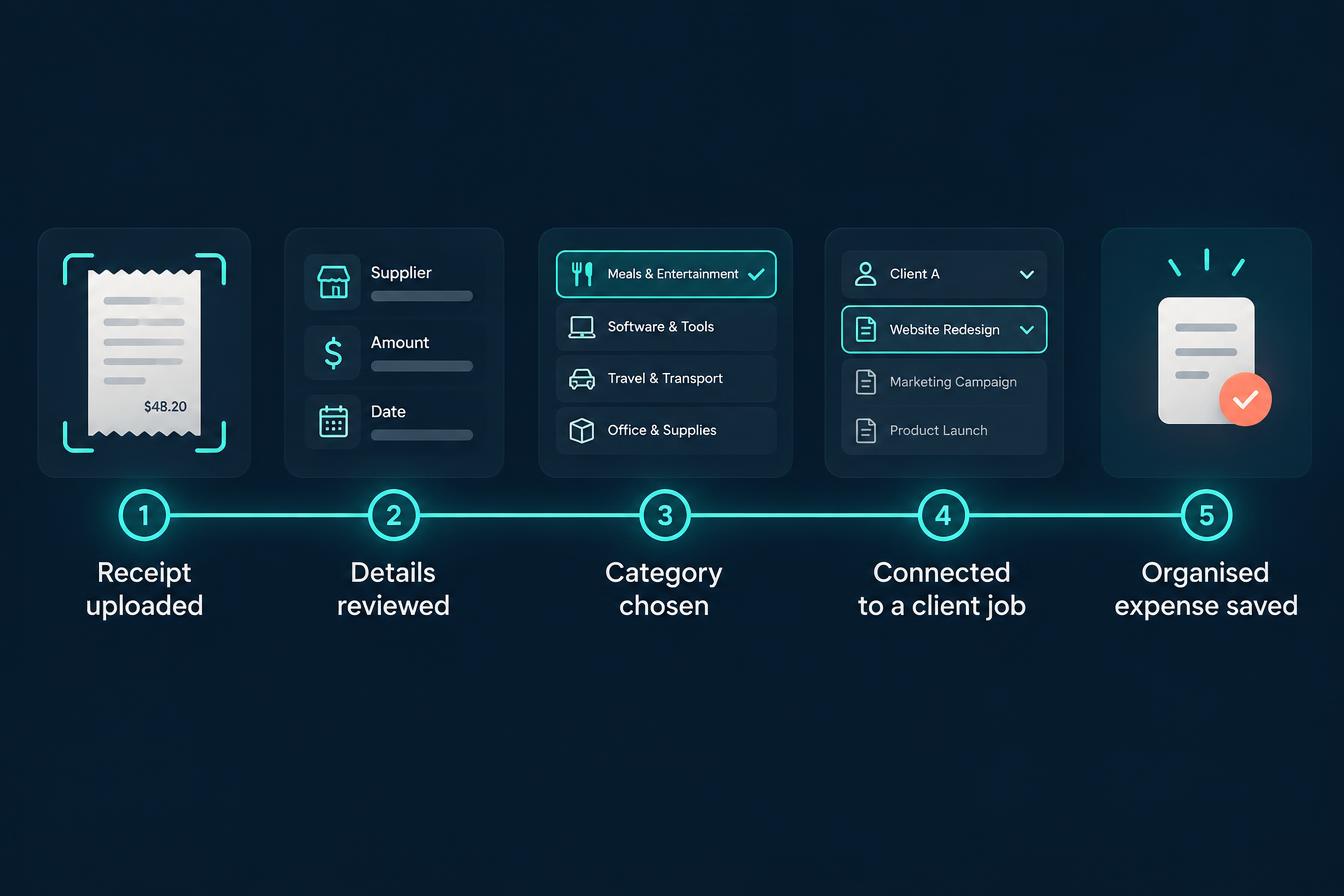
From purchase to real cost visibility
See how one purchase becomes a checked record, a job cost and a clean export.
- 01
The purchase happens
Materials, fuel, tools or a subscription—money leaves the business.
Money out
- 02
Receipt captured
Photographed, uploaded or spoken so the cost has a record and an image.
Record created
- 03
Details reviewed
You confirm supplier, amount, date and tax before it is saved.
Details confirmed
- 04
Category chosen
A plain category that matches the business budget you already set.
Categorised
- 05
Work attached
The cost is connected to the client, project or job it belongs to.
Connected
- 06
Dashboard updated
Money out appears beside money in and the live work of the business.
Visible
- 07
Reporting and budget
Monthly and category totals compare recorded spend with the plan.
Compared
- 08
Accountant export
Clean, categorised records with images are ready when they are asked for.
Ready
- No receipt scanning subscription
- No spreadsheet of costs
- No guessed categories
- No shoebox weekend
Prefer to speak to someone? Book a Live Walkthrough
Connected, not bundled
Every cost connects to the budget, the job and the reporting behind it.
Expenses + Receipts sits inside Money + Control, turning everyday spending into records that budgets, job costs and reporting can rely on.
- 1Business DashboardOne clear view of the whole business.
- 2BudgetsWhat your life and business actually cost.
- 3InventorySimple product and material records.
- 4Projections + ReportingWhere the business is heading.
- Budgets compare planned spend with recorded costs
- Business Dashboard shows money out beside money in
- Projects + Jobs carry the real cost of the work
- Invoices + Payments show billable costs charged on
- Inventory connects material and product purchases
- Client Management Area keeps client work context
- Projections + Reporting use recorded costs
- Exports prepare information for your accountant
- Everything stays in one connected system
- Expenses + Receipts is part of Alive24. Receipt reading assists entry but every record is reviewed by you; there is no bank feed, automatic reconciliation or tax advice. Solo supports one owner plus two helpers.
Protect your decisions
Know what the work really costs before you price the next one.
Recorded costs turn profit from a hopeful guess into a number you can see.
Take the 2-minute cost check
Free, no commitment, with a practical summary of the costs worth recording first.
Start with SolomonPrefer to speak to someone? Book a Live Walkthrough
Explore the connected system
See how expenses + receipts connects across the rest of your business.
Expenses + Receipts stays inside Money + Control while the leads, sales, client work and payments behind the numbers stay connected.
You
One voice note. One change.
Voice note → Website updated
Prefer to speak to someone? Book a Live Walkthrough
Questions
Expenses + Receipts—the questions small business owners actually ask.
Still unsure? The full demo answers most of it in a few minutes, without a sales call.
Ready to see expenses + receipts working inside one connected system?
Track business expenses the moment you spend: snap or upload the receipt, check it, categorise it and connect it to the client or job it belongs to.
Book a Live Walkthrough
See expenses + receipts used the way a small business owner actually uses it.
Book a Live WalkthroughSee How Money + Control Works
Explore how budgets, expenses, records, dashboards and projections connect.
See How Money + Control WorksGet Alive24
Own the complete connected system, including Expenses + Receipts and every Solo money tool.
Get Alive24