
Employee scheduling software that shows where everyone needs to be, what they need to do and what you’re actually paying for.

- Say the week
- Schedule the work
- Attach the tasks
- Add the SOP
- Set expected time
- Require the notes
- See what’s complete
- Spot the overruns
- Approve the hours
- Prepare the invoice
- Client bookings connected
- One clear schedule
Is this you?
Staff scheduling software for owners: if you’re the only person who really knows who is working, what they’re doing and what they should be paid—this page is for you.
A couple of helpers or a small growing team. The work is real. The problem is that the schedule, the work and the pay live in different places.

The schedule is built by hand
A document, a colour-coded table or a shared calendar. Every change has to be retyped, resent and explained again.

Scheduled hours don’t prove the work
Somebody was down for six hours. What got finished, whether the notes came in and whether six hours was fair is a separate investigation.

You’ve become the watchdog
Asking what happened, chasing notes, checking tasks, questioning invoices and recalculating hours—instead of running the business.
Team Scheduling walkthrough
See the employee scheduling app turn one scheduled session into approved, paid work.
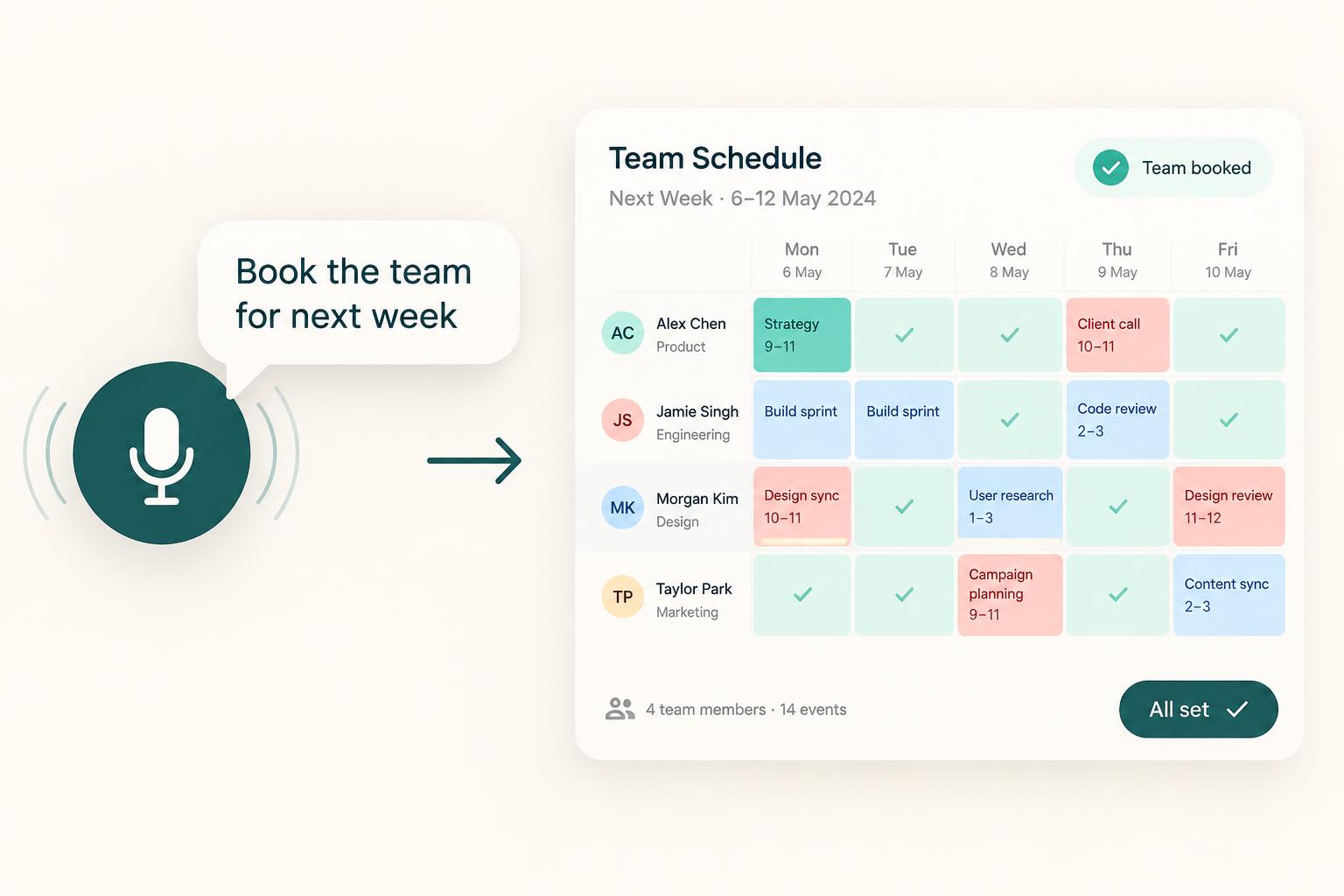
Watch a spoken instruction become a schedule, the team complete the tasks and notes, and the approved hours move through to Money + Control.
- Team and work types created
- Rates and requirements added
- Schedule created by voice
- Owner reviews and approves
- Team sees today’s work
- Tasks and SOP attached
- Session notes by voice
- Expected against actual time
- Completion status clear
- Work needing review flagged
- Hours approved
- Invoice prepared
Prefer to speak to someone? Book a Live Walkthrough
Are you currently doing this?
Most scheduling tools tell you when somebody is working. That’s the easy part.
What owners actually need to know is what was meant to happen, whether it happened and whether the hours are fair to pay. That usually lives in five other places. Most employee scheduling programs stop at the roster.
The schedule is cut off from the work
- Scheduled hours with no tasks attached
- No client or project connection
- No process for the person to follow
Manual scheduling eats the week
- Documents, tables and spreadsheets
- Changes retyped and re-explained
- No single accurate view of the week
Time quietly leaks money
- Unexplained hours and repeated overruns
- Missing notes and unfinished sessions
- Discovered after the invoice arrives
Nothing is joined up
- Bookings, jobs and tasks in separate tools
- Timesheets rebuilt by hand
- Owners comparing several systems
You can stop rebuilding the roster and stop guessing at the hours. The schedule, the work, the time and the pay can live in one place.
Introducing
Team Scheduling inside Alive24.
Say who is working on what—and Alive24 keeps the work, the tasks, the time and the pay connected to it.
Prefer to speak to someone? Book a Live Walkthrough
 Say the week
 Schedule the work
 Attach the tasks
 Add the SOP
 Set expected time
 Require the notes
 See what’s complete
 Client bookings connected
- Private notes protected
 Overruns flagged
- Proof attached
 Team calendar clear
- Hours recorded
- Hours approved
- Invoice prepared
- Money + Control updated
- Next week ready
- One connected schedule
Say the week
Build the schedule in normal language.
Start from your trade
Roles and work types that already fit.
Attach the work
Tasks and SOPs inside the scheduled block.
Connect the client
Bookings, projects and jobs joined up.
Set expected time
Say how long it should reasonably take.
Choose visibility
Own schedule, project view or whole team.
Work from a phone
Today’s schedule and voice-note updates.
See what’s complete
Tasks, notes and proof in one place.
Catch the overruns
Gaps flagged calmly for your review.
Approve the pay
Approved hours ready for payment.
- My Calendar
- Team Calendar
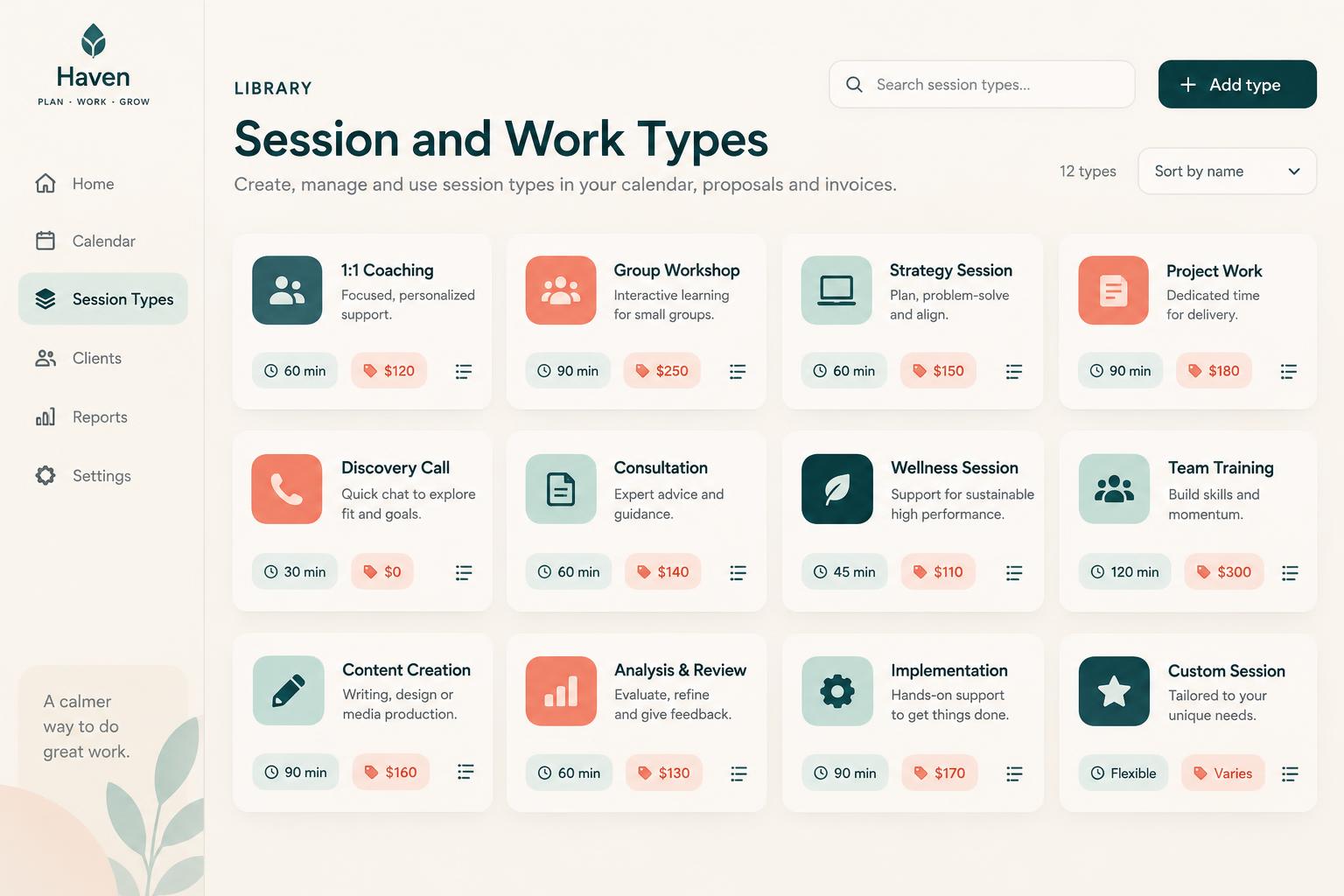
- Session types
- Work types
- Rates
- Tasks + SOPs
- Expected time
- Actual time
- Session notes
- Needs review
- Approved hours
- Money + Control
How it works
Set it up once. Say the week. Let the work prove itself.
One clear process, five stages. Click through to see a spoken instruction become approved, payable work.
Step 1 · Set it up
Create the team and work types
Start from examples that suit your trade, then change them. Each type carries its own length, rate, tasks, SOP and proof rules.
- Team roles
- Session types
- Work types
- Durations
- Rates
- Requirements
Then the schedule, the tasks, the notes, the hours and the pay all agree—without rebuilding the story from five different places.
Solved, in one place
Schedule the person, the work and the expected result together.
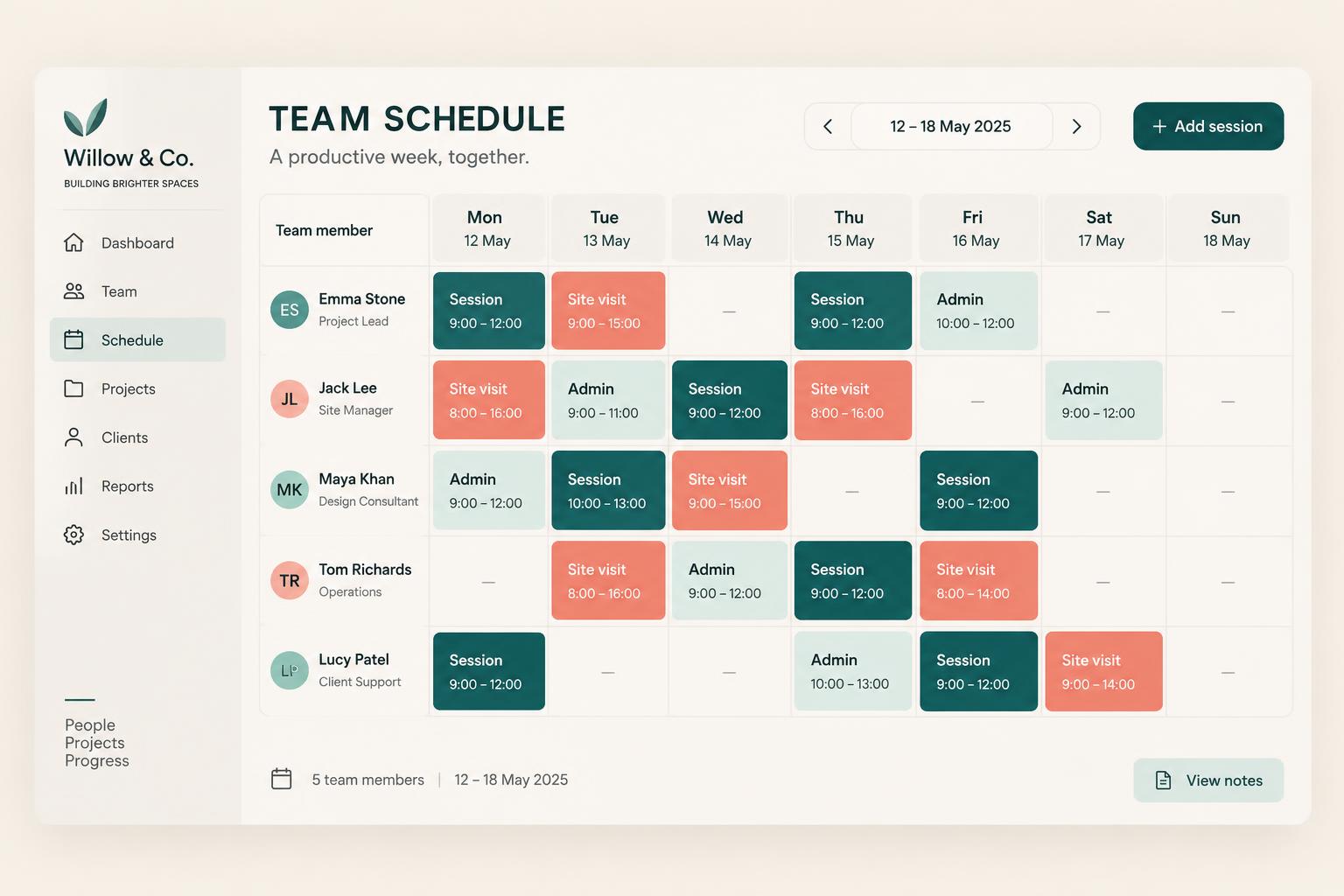
One scheduled block holds everything both of you need. The team member sees what to do and what complete means. You see what happened without opening five systems. A staff scheduling app your team can actually follow.

Team Scheduling
Scheduled. Completed. Checked. Approved.
Voice note → My Calendar updated
Who is working
The person, the day, the hours and where they need to be.
The session or work type
Client session, site visit, admin block, marketing, travel, training—your own types.
The client, project or job
The scheduled time belongs to real work, not an empty calendar slot.
The required tasks
What must be finished for the block to count as done.
An attached SOP
The process they follow, right there in the scheduled work.
Expected time
How long the work should reasonably take.
Notes or proof
Session notes, progress updates or photos where you require them.
Actual time used
Recorded against the block instead of remembered later.
Completion status
Complete, in progress, notes required or needs review.
Ready for approval
The rate, the hours and the amount waiting for your yes.
Prefer to speak to someone? Book a Live Walkthrough
Built for real businesses
However your team works, schedule the real work around it.
Built for real small businesses and small growing teams—not enterprise workforce management.

Massage therapist

Personal trainer

Beauty and skin therapist

Yoga and pilates teacher

Naturopath and nutritionist

Counsellor and psychologist

Physio and chiropractor

Health coach
Massage therapist
Personal trainer
Beauty and skin therapist
Yoga and pilates teacher
Naturopath and nutritionist
Counsellor and psychologist
Physio and chiropractor
Health coach

Electrician

Plumber

Builder and carpenter

Landscaper and gardener

Painter and decorator

Cleaner and home services

Handyman

Property and rental operator
Electrician
Plumber
Builder and carpenter
Landscaper and gardener
Painter and decorator
Cleaner and home services
Handyman
Property and rental operator

Website designer

Social media manager

Business coach

Business consultant

Marketing consultant

PR consultant

Bookkeeper

Accountant

Virtual assistant

Copywriter

Brand and graphic designer

Photographer and videographer

Course creator and tutor

Maker and product seller

Mobile and local operator
Website designer
Social media manager
Business coach
Business consultant
Marketing consultant
PR consultant
Bookkeeper
Accountant
Virtual assistant
Copywriter
Brand and graphic designer
Photographer and videographer
Course creator and tutor
Maker and product seller
Mobile and local operator
Trades
Helpers, site visits, travel, materials collection, safety checks and job hours.
Wellness
Practitioners, treatments, preparation, private notes and follow-up tasks.
Clinics
Practitioner sessions scheduled against real client bookings.
Coaches
Client sessions, support staff and program delivery blocks.
Professional services
Client delivery, administration, sales calls and internal operations.
Creative + marketing
Content creation, campaign work and project delivery time.
Small admin or sales teams
Admin blocks, calls and follow-up with expected time set.
Solo operators
Your own working week, recorded properly without a team.
Say it out loud
Building next week can be as quick as saying it out loud.
Create or change the schedule in normal language, then read the proposal before anything moves.
“Add today’s session notes to Luke’s private record, share the three agreed actions with him, remind him before Friday and show the next milestone as in progress.”
- Schedule Mia for admin 9 till 11 Monday
- Add two client follow-up blocks
- Attach the new-client workflow
- Require session notes before completion
- Put the team on the Johnson job Tuesday to Thursday
- Site preparation first
- Attach the safety checklist
- Flag it if the hours go over budget
- Move Thursday’s session to Friday
- Set expected time to one hour
- Add travel time both ways
- Hold anything without notes for review
What that normally means
- Rebuilding the roster document
- Recolouring the table
- Messaging everyone the change
- Updating a second calendar
- Explaining the tasks again
- Recalculating the hours later
Alive24 proposes the schedule. You review and approve it. Manual editing is always there, and an unreviewed AI schedule is never treated as final.
Time, money and energy saved
Stop rebuilding the roster—and stop guessing what you’re paying for.
Less schedule building, fewer messages, faster onboarding, earlier warning when time and money are leaking.
What quietly drains the week
- Hand-built schedule documents
- Colour-coded spreadsheets
- Separate scheduling apps
- Group chats and message threads
- Disconnected timesheets
- Chasing session notes
- Scheduling meetings
- Recalculating everybody’s hours
Hours of admin, unexplained time and invoices you can’t check
Inside Alive24
- One connected schedule
- Tasks attached to the work
- SOPs where they’re needed
- Expected against actual time
- Completion you can see
- Overruns flagged early
- Approved hours prepared
- Clear project labour costs
One schedule connected to the rest of the business
Time and energy returned
- Less schedule building
- Fewer change messages
- Faster team onboarding
- Fewer scheduling meetings
- Less chasing for notes
- Fewer unexplained hours
- Faster invoice approval
- Less micromanagement
Alive24 Solo begins with a small number of team seats and more can be added as the business grows. Larger, more complex teams are handled by Alive24 Medium. Alive24 is not payroll software and does not replace your legal employment obligations.
See full pricingBefore and after
From a hand-built roster to one connected schedule.
The same team and the same week—the difference is whether the work, the time and the pay stay connected or get pieced together afterwards.
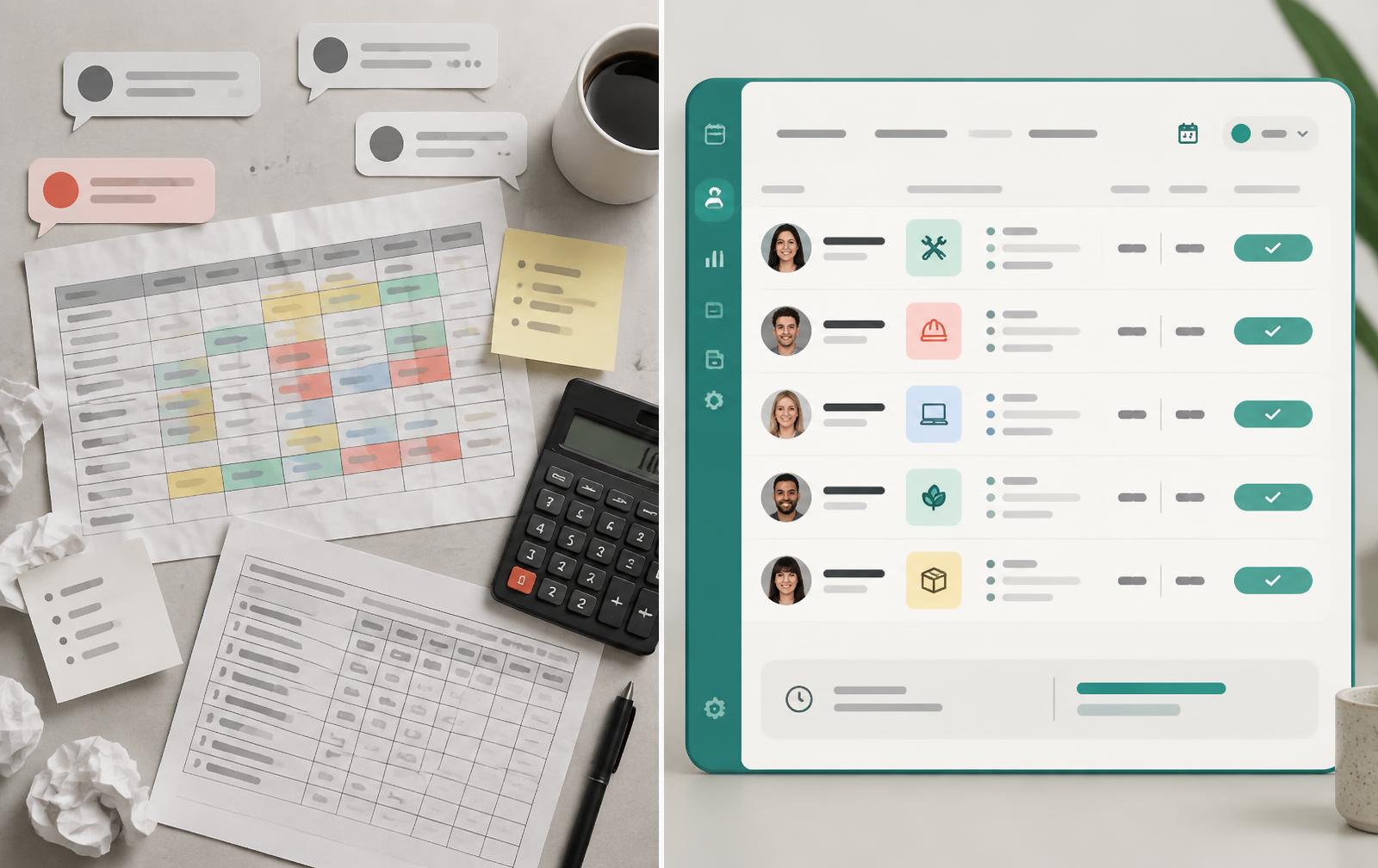
Before
- The roster built by hand
- Changes retyped and resent
- Tasks living somewhere else
- Client bookings in another calendar
- Notes arriving in messages
- Hours guessed at from timesheets
- Pay worked out by hand
After
- One schedule everyone trusts
- Tasks and SOPs inside the block
- Client bookings in the same view
- Expected time set up front
- Notes and proof attached
- Overruns flagged for review
- Approved hours ready to pay
Real examples
Trades, wellness or professional services—the schedule works the same way.
The same connected scheduling adapts to sessions, site work, admin and project delivery without forcing every business into one template.
- A tradie scheduling helpers, travel and materials collection
- A site visit with its safety checklist attached
- A practitioner’s treatment sessions with private notes required
- A coach scheduling client sessions and preparation
- A clinic scheduling practitioners against client bookings
- An assistant’s admin blocks with expected time set
- A marketing block connected to a campaign task
- Sales calls scheduled against the pipeline
- Job hours connected to project stages
- A session held for review after a three-hour overrun
- A week of approved hours prepared for payment
- A small business owner scheduling their own working time
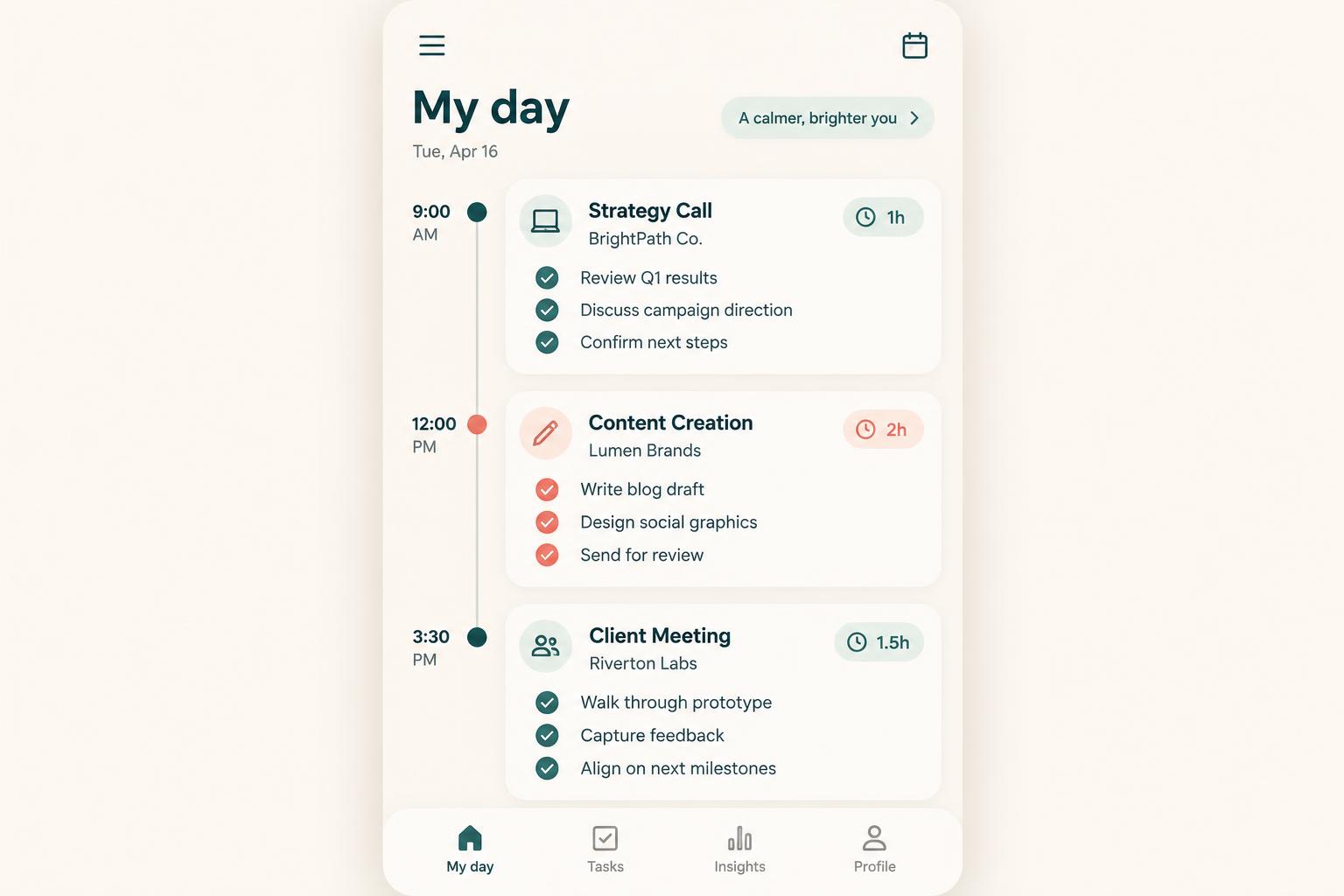 My Calendar
Their day is immediately clear
Where to be, what to do and what complete means.
Team CalendarYou see the whole week
Who is working, on what, and for which client.
 Tasks + SOPs
The work travels with the time
Required tasks and the process sit inside the block.
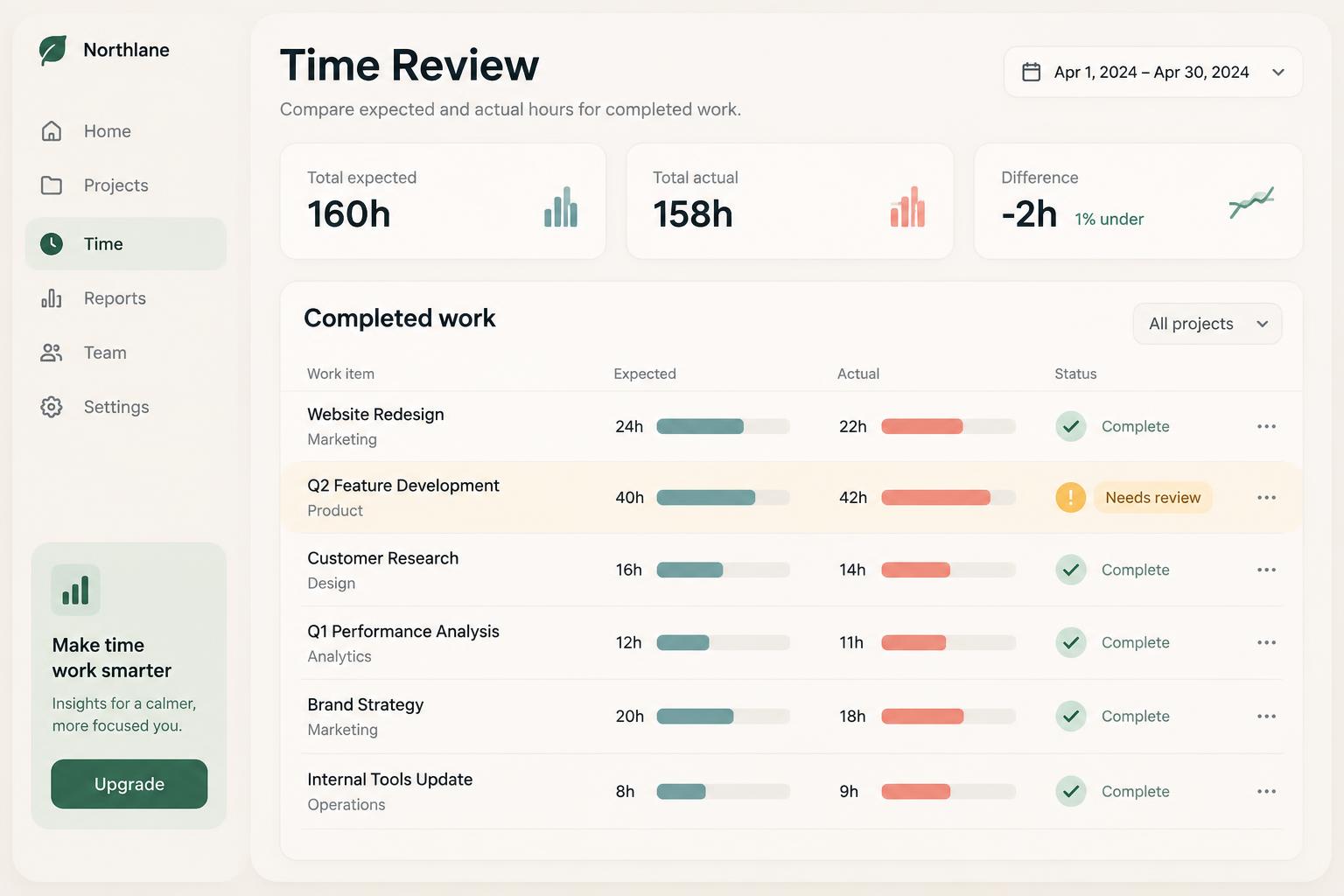 Expected vs actual
Overruns surface early
One hour expected, three hours actual—flagged for review.
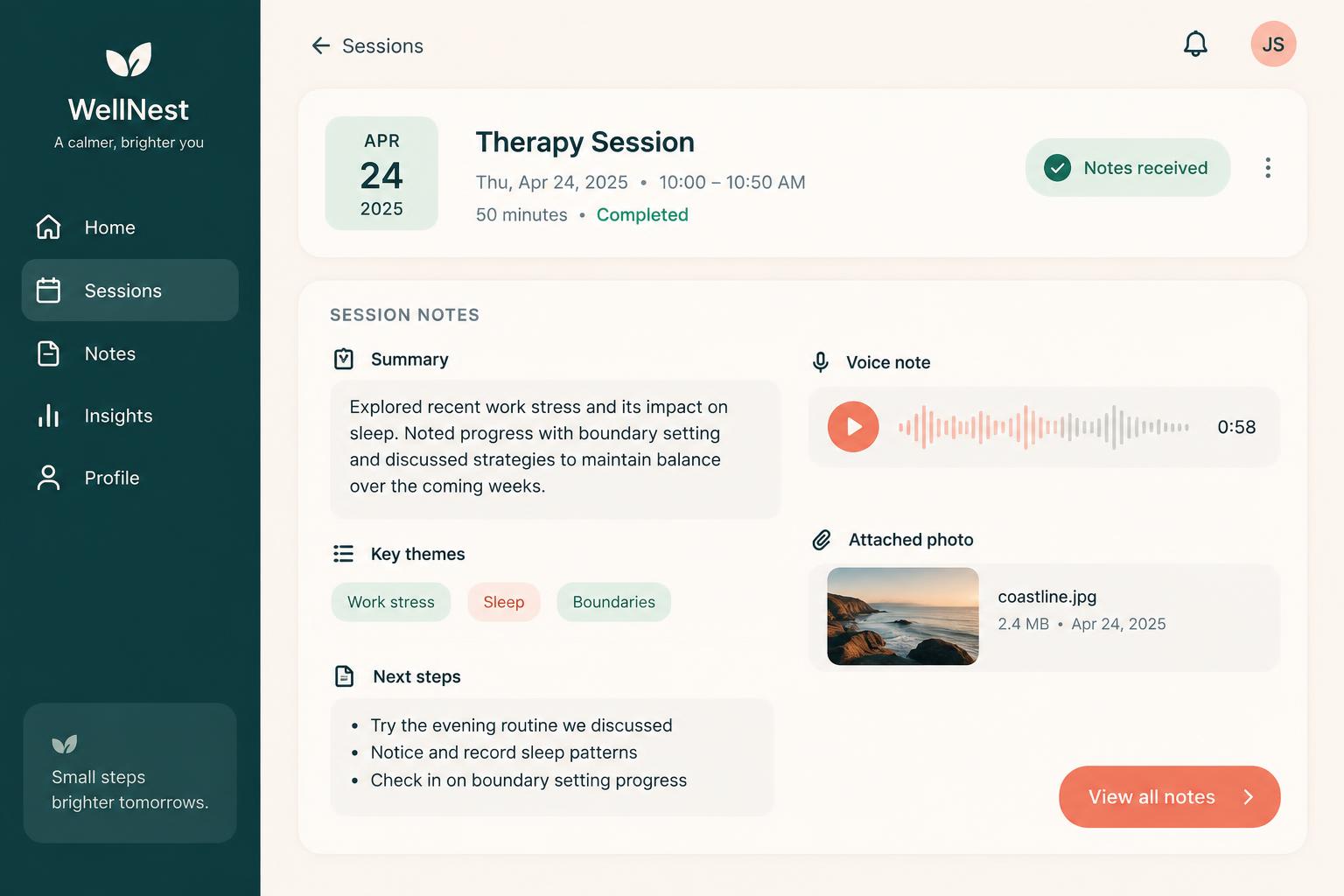 Completion
Finished work has a record
Tasks, notes and proof stay with the session.
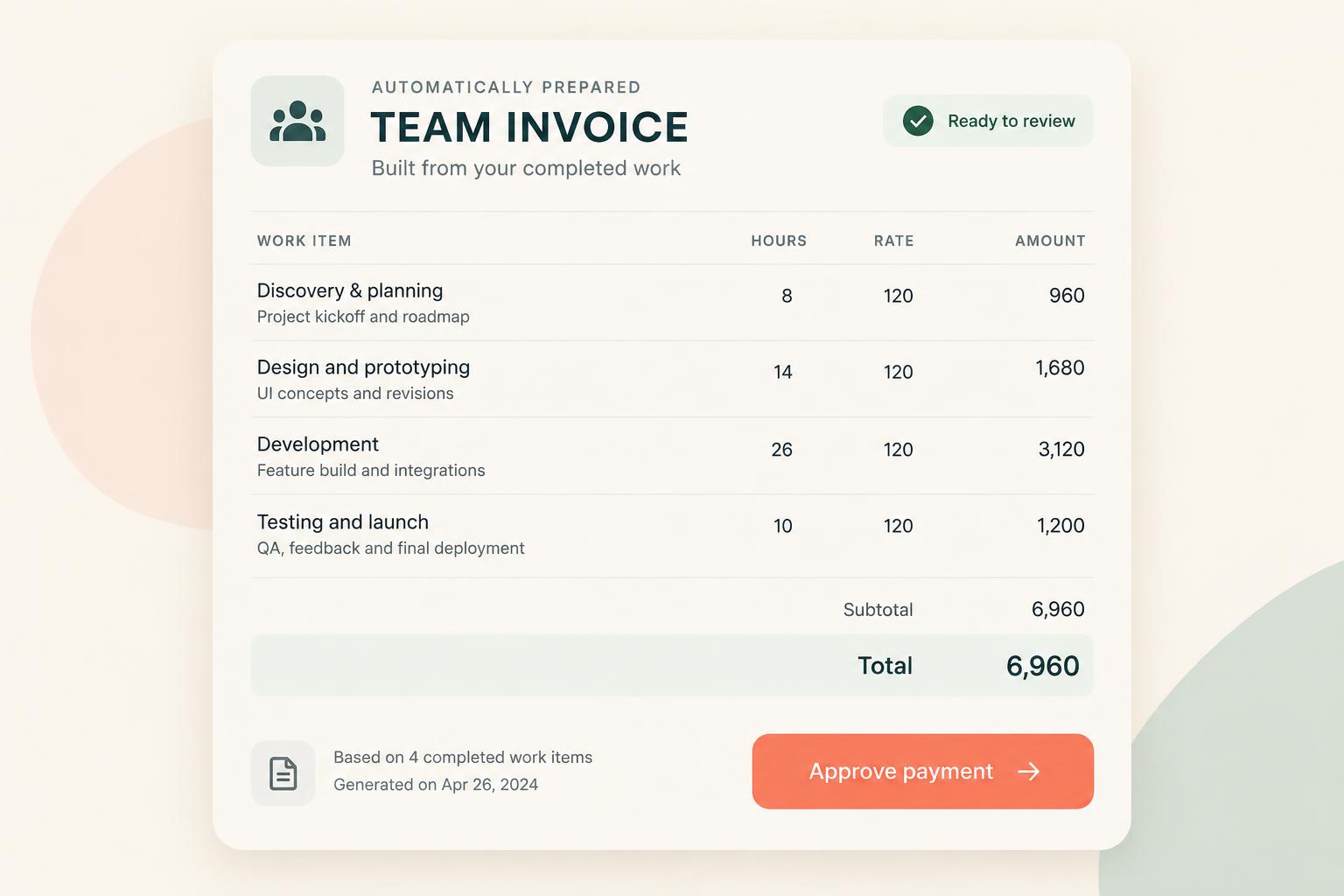 Approved pay
Hours arrive ready to approve
Rates applied, totals prepared, your yes required.
Swipe or scroll for more
Prefer to speak to someone? Book a Live Walkthrough
Two views, one system
Their calendar. Your team view. The same truth.
Everyone gets the view that suits their job—and where it helps, a project schedule showing everyone working on the same job.
- Today’s sessions
- Work blocks
- Attached tasks
- Appointments
- Job work
- Deadlines
- Notes required
- Voice-note updates
- Recorded hours
- Approved pay
Each person opens their own day and knows where to be, what to do and what finished actually means.
Tuesday: two client sessions, one admin block, site visit at 2pm—tasks and notes attached to each one.
- Everyone’s week
- Session and work types
- Who is on which job
- Availability
- Tasks in progress
- Notes received
- Expected against actual
- Work needing review
- Approved hours
- Payment ready
One clear view of where everyone needs to be and what they need to do—so you stop holding it all in your head.
The whole team on the Johnson job Tuesday to Thursday, with safety checks attached and overruns flagged.
See a real team scheduleReal proof
A real business proved this first—by replacing a colour-coded Word schedule.
Alive Luxury Retreats ran its team from a hand-built colour-coded document, group messages for every small change, paper session notes chased daily, invoices that never matched the work, and a scheduler plus an operations manager to hold it all together. Nobody could book a hundred sessions a week without asking the owner five questions a day.
What it used to look like
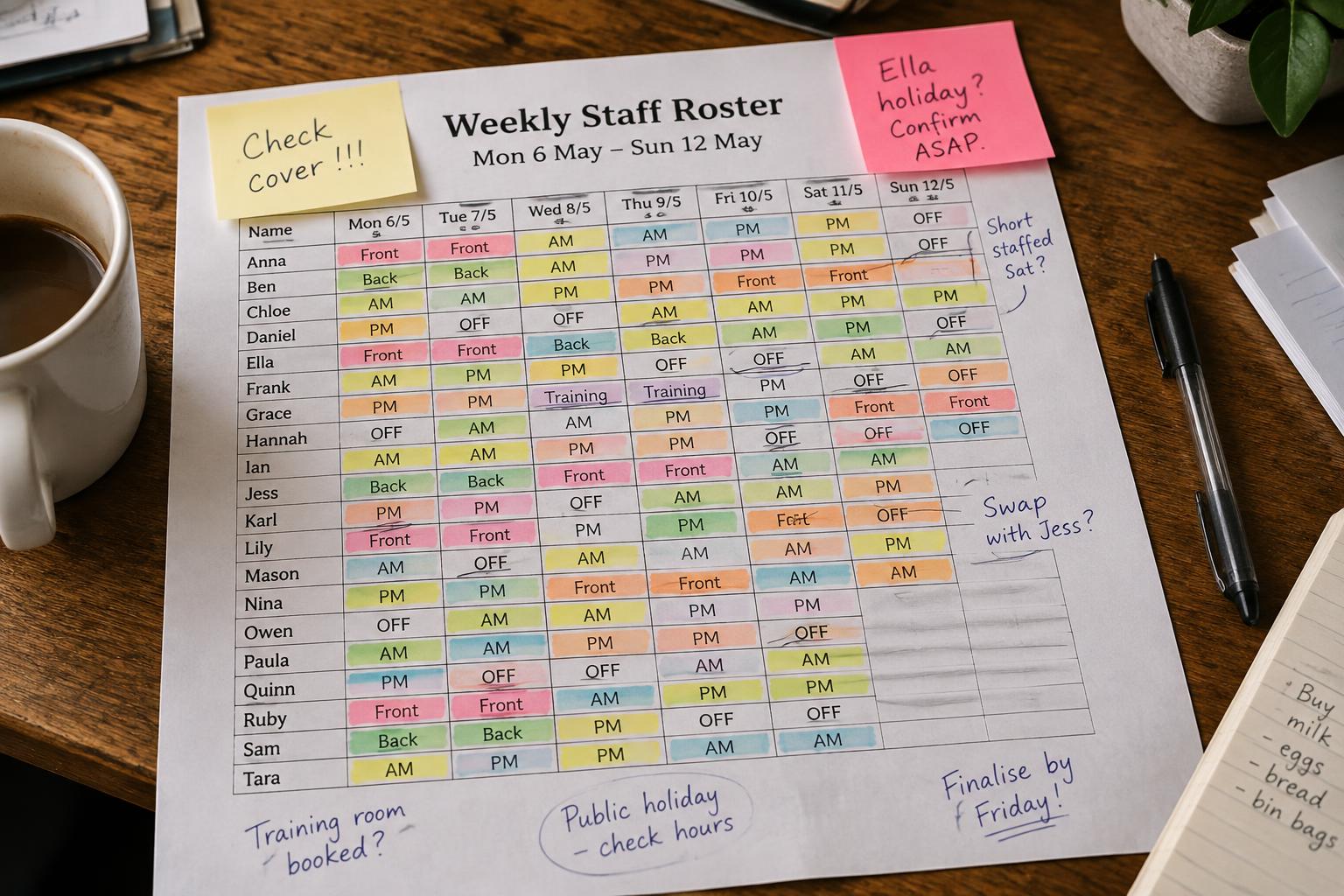




What it looks like now
Inside that one business: the team largely onboarded itself and was working within a day, internal messages dropped by roughly 90%, about 30 hours of scheduling admin disappeared during setup, session notes arrived with the work instead of being chased, invoices matched the sessions actually completed, and around US$2,500 a month of lost time and unnecessary team expense became visible—removing the need for a dedicated scheduling role and day-to-day scheduling supervision. Results vary with team size, rates and existing inefficiencies, and this is not a guarantee.
Prefer to speak to someone? Book a Live Walkthrough
Prefer to speak to someone? Book a Live Walkthrough
What you actually receive
One scheduled block. Everything you both need to know.
A clean Alive24 schedule for a small team—and for a small business owner managing their own working time.
The block
The person and the work
- Who is working and when
- Session or work type
- Client, project or job
- Where they need to be
The expectation
What complete means
- Required tasks
- Attached SOP
- Notes or proof required
- Expected time
The record
What actually happened
- Actual time used
- Tasks finished
- Notes received
- Needs review where it doesn’t add up
The pay
Hours you can approve
- Hourly, salary or session rates
- Approved hours only
- Payment summary prepared
- Your approval required
Prefer to speak to someone? Book a Live Walkthrough
A clear working schedule
One scheduled block. Everything you both need to know.
Enough detail to run the business properly, without turning a small team into an enterprise workforce system.
“Schedule Mia for admin 9 till 11 Monday, notes required”
The person, the work, the client, the expected time and the approved pay in one block.
- 01
Every block has context
The person, client, project, tasks, expected time and rate stay together.
- 02
Every person sees what they need
Their own day, selected project schedules or the wider team view—your choice.
- 03
Every completion becomes a record
Tasks, notes, proof and actual time make the hours safe to approve.
- Person
- Day and hours
- Session or work type
- Client
- Project or job
- Required tasks
- Attached SOP
- Expected time
- Actual time
- Notes or proof
- Completion status
- Needs review
- Rate or salary
- Approved hours
- Ready for payment

Alive24 is informed by more than 20 years of hands-on small-business, hospitality, wellness, sales and delivery experience—including years of building team schedules by hand on a Friday night.
Prefer to speak to someone? Book a Live Walkthrough
One schedule connected to the business instead of a document nobody trusts.
From a colour-coded document to one connected schedule.
The person, the work, the client, the tasks, the time and the approved pay stay together—so you stop rebuilding the story from five systems.
From work beginning to the next stage
See exactly how one event becomes organised work, approved progress and the next required stage.
- 01
The week is scheduled
Say it out loud or build it by hand. Alive24 proposes the schedule and you approve it.
Schedule agreed
- 02
The work is attached
Session or work type, client, project, required tasks and the SOP travel with the block.
Work is clear
- 03
The team knows the day
They open their own calendar and see where to be, what to do and what complete means.
No chasing
- 04
Client bookings line up
Client sessions and reminders sit in the same schedule as the internal work.
Nothing double-booked
- 05
The work is recorded
Tasks ticked, notes added by voice or typing, actual time captured against the block.
Completion recorded
- 06
Time is checked
Expected against actual. On track, slightly over, or flagged calmly for your review.
Gaps surface early
- 07
Client updates stay controlled
Clients see only what you approve. Internal notes, rates and reviews stay private.
Privacy kept
- 08
You approve the pay
Approved hours, rates and totals flow into Money + Control for your yes.
Ready for payment
- No hand-built roster
- No colour-coded spreadsheet
- No separate scheduling app
- No timesheet detective work
Prefer to speak to someone? Book a Live Walkthrough
Connected, not bundled
Every scheduled hour connects to the work, the client and the money behind it.
Team Scheduling sits at the centre of Deliver, carrying the person, the work and the expected result from a scheduled block through completion to approved pay.
- 1Projects + JobsShows which project or job the scheduled hours belong to.
- 2Tasks + WorkflowsCreates the right tasks whenever that work is scheduled.
- 3Client Management AreaCarries client bookings and only the updates you approve.
- 4Bookings + CalendarBrings client sessions and reminders into the same schedule.
- 5Invoices + PaymentsTurns approved hours into a prepared team payment.
- 6Business DashboardShows labour cost and approved hours in the wider picture.
- Projects + Jobs shows which project the hours belong to
- Tasks + Workflows creates the right tasks when work is scheduled
- Client Management Area carries bookings and approved client updates
- Bookings + Calendar brings client sessions into the schedule
- Team Management holds people, roles and rates
- AI Operations Manager watches for gaps and overruns
- Money + Control receives approved hours and totals
- Business Dashboard shows the wider picture
- Team Management and the AI Operations Manager connect here too—their pages are coming next. Your business and client records stay inside your own controlled system with role-based access: secure client records, private session notes, rates and reviews kept confidential, and clients seeing only what you approve.
Protect your client time
Give your team clarity without checking on them all day.
See where hand-built rosters, repeated messages, chased notes and unexplained hours are quietly taking time and money out of your week.
Take the 2-minute scheduling check
Free, no commitment, with a practical summary of the scheduling and pay admin worth connecting.
Start with SolomonPrefer to speak to someone? Book a Live Walkthrough
Explore the connected system
See how the schedule connects across delivery, sales and your numbers.
Team Scheduling sits inside Deliver while keeping the client, booking, project and payment context intact.
You
One voice note. One change.
Voice note → Website updated
Prefer to speak to someone? Book a Live Walkthrough
Questions
Team Scheduling—the questions owners actually ask.
Still unsure? The full demo answers most of it in a few minutes, without a sales call.
Ready to see where everyone needs to be—without watching anybody all day?
See how one spoken instruction becomes a connected schedule, completed work, recorded notes and approved hours ready for payment.
Book a Live Walkthrough
See a real week scheduled, completed, checked and approved inside Alive24.
Book a Live WalkthroughSee How Deliver Works
Explore how clients, projects, tasks, scheduling and documents stay connected.
See How Deliver WorksGet Alive24
Own the complete connected system, including Team Scheduling and every Deliver tool.
Get Alive24