Operational software that runs the whole job from one place—and lets your client see the progress.
Operational software for the jobs you actually deliver. Say what the job is. Alive24 organises the stages, tasks, timing, people, client updates and payment points around it—then quietly tells you what’s falling behind.
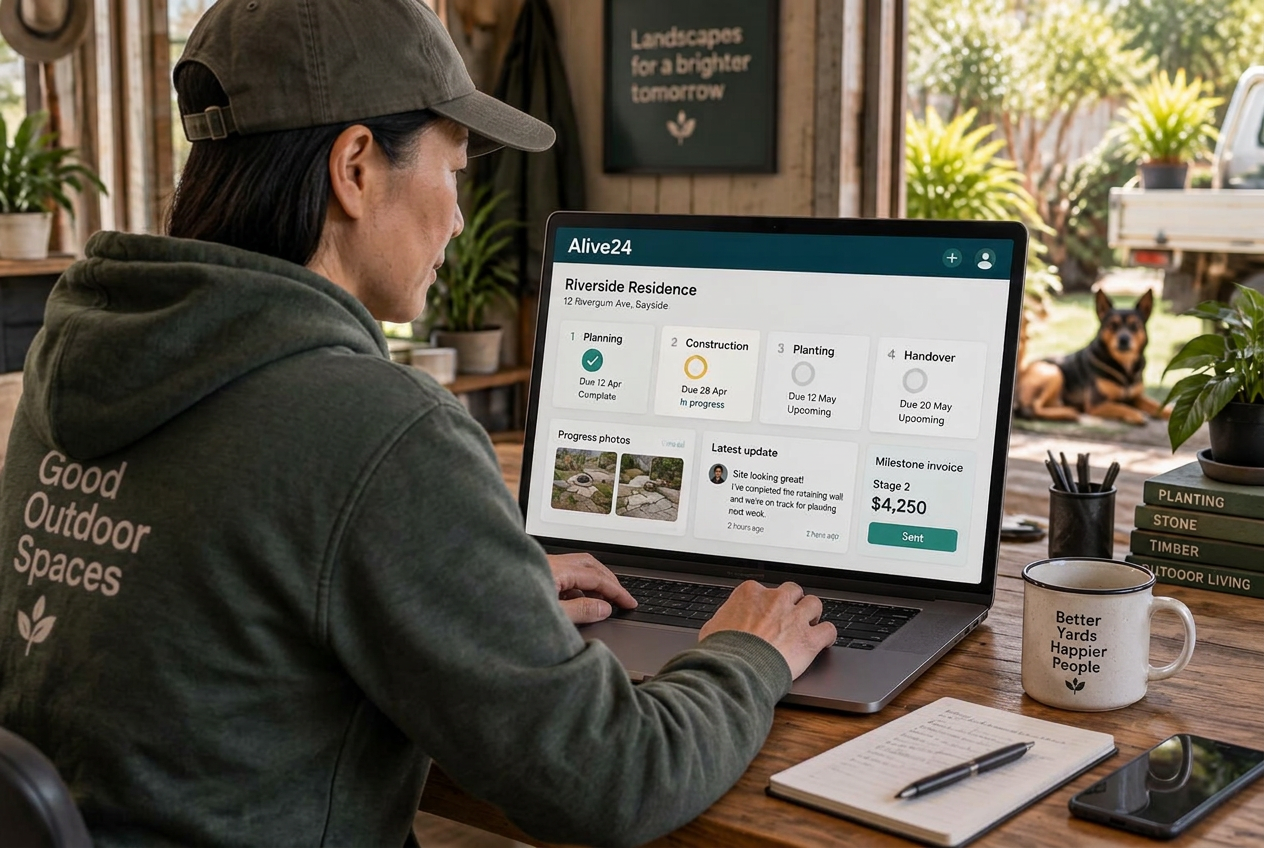
- Say what needs doing
- Start from your industry
- Set the stages
- Add the deadlines
- Assign the work
- Update by voice
- Upload the proof
- Update the client
- See what’s behind
- Connect the payment
- Control who sees what
- Reach the finish line
Is this you?
Project management software for small business: if the job lasts longer than one appointment, you’re probably one of these people.
The work isn’t the problem. Holding the stages, deadlines, people, proof and client updates together while you do it is.

You’re holding the whole job in your head
You know what happens next, but the client is in one place, the tasks in a spreadsheet, the appointments in a calendar and the updates in your messages.

Your project software is built for somebody else
Made for corporate managers and specialist teams—cluttered, fiddly to set up, hard for an occasional helper, and another subscription and login.

You spend your day checking on everyone
You open each task list, chase the work, remember the deadline, message the client and remember the next invoice. That’s admin, not paid work.
Projects + Jobs walkthrough
See the job tracking app turn one accepted job into a project that manages itself.
Watch a voice note become stages, tasks, deadlines, team responsibility, client updates and payment milestones—without moving cards all day.
- Work accepted
- Voice note given
- Project created
- Industry stages ready
- Deadlines set
- Work assigned
- Progress updated by voice
- Photos attached
- Client update published
- Delay flagged early
- Payment milestone due
- Completion recorded
Prefer to speak to someone? Book a Live Walkthrough
Are you currently doing this?
Running the job shouldn’t be a bigger job than the work itself.
Real work turns exhausting when nothing talks to anything else and you’re the one holding it all together. Most project management software for small companies is built for departments, not the people doing the work.
Too many disconnected systems
- The client in one place, the job in another
- Tasks in a spreadsheet nobody reopens
- Appointments and team updates elsewhere
The tools are unnecessarily hard
- Built for corporate project managers
- Sections a small business will never use
- Another subscription and another login
Everything moves by hand
- Every stage, task and card moved manually
- Deadlines and client updates remembered by you
- The next invoice noticed far too late
Clients won’t learn another app
- Progress explained in message threads
- Photos and files buried in phones
- Another meeting just to say where things are
You can stop rebuilding the work in every app. Stages, deadlines, tasks, proof and progress can live in one connected project.
Introducing
Projects + Jobs inside Alive24.
Say what the job is once—then stages, tasks, people, client updates and payment points stay connected.
Prefer to speak to someone? Book a Live Walkthrough
 Create the project
 Add every stage
 Set the deadlines
 Create the tasks
 Set the stages
 Show the progress
 Upload the proof
 Clients connected
- Private work protected
 Client update clear
- Evidence attached
 Deadlines connected
- Responsibility clear
- Payment milestone clear
- History complete
- History complete
- Job structure reused
- One connected project
Say the job
Describe the work in normal language.
Stages appear
Start from structures that suit your work.
Add deadlines
Give every stage a useful date.
Tasks created
Clear actions under each stage.
Assign the work
Yourself or a helper, access controlled.
Choose visibility
Keep private work private.
Update by voice
Move the job while you’re doing it.
Catch delays
The system flags what’s slipping.
Upload the proof
Photos and files stay with the stage.
Connect the money
Deposits and milestones beside progress.
- Voice-created projects
- Industry stages
- Deadlines
- Stage tasks
- Clients
- Progress photos
- Attachments
- Responsibility
- Private work
- Client updates
- Payment milestones
- Completion
How it works
From accepted work to completed job—one simple project at a time.
Five clear steps. Click through to see how the job keeps moving without project-management jargon.
You voice-note one thing…
“Create Luke’s landscaping project with preparation, groundwork, planting and completion.”
One voice note — the project, stages, tasks and client view build around the accepted work
Step 1 · Say it
Tell Alive24 the job
“Create a landscaping project for this client—site prep, materials, construction, planting and handover.”
- Pick the client
- Describe the work
- Voice or typed
- Expected timeline
- Accepted scope
- Project named
Then the stage, deadline, task, client progress and payment milestone all agree—without another project app in the middle.
Solved, in one place
Tell Alive24 what the job is. It organises the rest.
Projects + Jobs is part of Alive24—not another product. It starts with structures that suit your kind of work, and you change whatever you like. Looking for the best small team project management software? Start with a work management system that follows the job, not an org chart.

Your connected work
Clear. Scheduled. Completed. Connected.
Voice note → Project created updated
Say it, don’t build it
Describe the job by voice or text and get a clear project instead of a blank board.
Your industry, ready
Start from stages that suit trades, wellness, coaching, creative or consulting work.
Clear stages
Turn days, weeks or months of work into a simple route to completion.
Useful deadlines
Give stages and tasks real dates without building a complicated plan.
Tasks and workflows
Actions sit under each stage, and repeatable work is created for you next time.
People and scheduling
See who is responsible, what they’re on and whether the work is on time.
Progress and proof
Attach photos, files and evidence to the stage they belong to.
Controlled client view
Choose the stages, updates, sessions and next steps your client can see.
An eye on what’s slipping
The AI Operations Manager flags late work, risky deadlines and missing updates.
Money connected
Deposits, progress payments and the final invoice sit beside the stage that earns them.
Prefer to speak to someone? Book a Live Walkthrough
Built for real businesses
Built for people delivering real work—not project-management departments.
Simple job management for trades, wellness, consultants, freelancers and client-service businesses.

Massage therapist

Personal trainer

Beauty and skin therapist

Yoga and pilates teacher

Naturopath and nutritionist

Counsellor and psychologist

Physio and chiropractor

Health coach
Massage therapist
Personal trainer
Beauty and skin therapist
Yoga and pilates teacher
Naturopath and nutritionist
Counsellor and psychologist
Physio and chiropractor
Health coach
Electrician
Plumber

Builder and carpenter

Landscaper and gardener
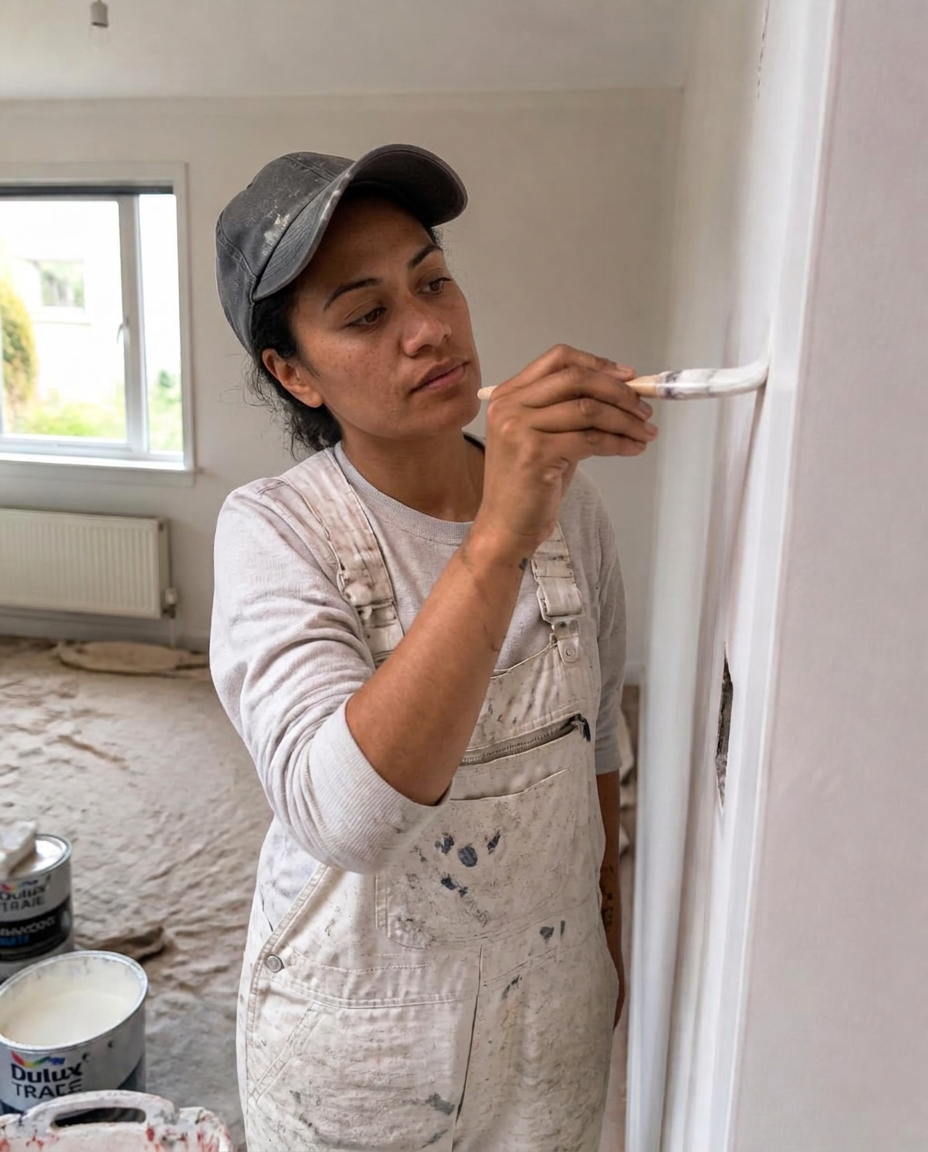
Painter and decorator

Cleaner and home services

Handyman

Property and rental operator
Electrician
Plumber
Builder and carpenter
Landscaper and gardener
Painter and decorator
Cleaner and home services
Handyman
Property and rental operator

Website designer

Social media manager

Business coach

Business consultant

Marketing consultant

PR consultant

Bookkeeper

Accountant

Virtual assistant

Copywriter

Brand and graphic designer

Photographer and videographer

Course creator and tutor

Maker and product seller

Mobile and local operator
Website designer
Social media manager
Business coach
Business consultant
Marketing consultant
PR consultant
Bookkeeper
Accountant
Virtual assistant
Copywriter
Brand and graphic designer
Photographer and videographer
Course creator and tutor
Maker and product seller
Mobile and local operator
Landscaping + trades
Site prep, groundwork, installation, proof and handover.
Builders + installers
Staged deadlines, progress photos and progress payments.
Naturopaths + healers
Client programs, sessions, actions and follow-ups.
Coaches
Session packages, client tasks and remaining payments.
Website designers
Discovery, copy, design, review and launch.
Marketing services
Strategy, production, campaign stages and reporting.
Consultants
Research, planning, delivery and reporting.
Creatives
Concepts, revisions, approval and final assets.
Say it out loud
Create and move the whole job by simply talking.
Normal language, using what’s already attached to the client, quote and workflow—then you review before anything sticks.
“Stage two is complete. Upload these photos, update the client and remind me to send the second invoice tomorrow.”
- Create Luke’s landscaping project
- Break it into five stages
- Use the dates from the quote
- Create a six-session coaching package
- Add preparation and session notes
- Assign the groundwork to Sam
- Move the project to construction
- Tick off site preparation
- Upload these progress photos
- Update the client
- Remind me about the deposit
- Keep these notes private
What that normally means
- Opening another project app
- Retyping the accepted scope
- Building every stage by hand
- Dragging cards across a board
- Writing a separate client update
- Remembering the invoice later
Alive24 uses the client, quote and existing workflow as context. You review the result, choose what’s shared, and manual controls are always there if you prefer them.
Time, money and energy saved
Stop spending your day checking, chasing and explaining.
Say the job once, reuse what repeats, keep proof with the work and let the system catch what’s slipping.
What quietly drains the week
- Oversized project subscriptions
- Extra client-portal software
- Learning and maintaining tools
- Manual data entry
- Checking everyone’s task list
- Unnecessary update meetings
- Forgotten tasks and invoices
- Hunting for photos and files
Time and attention lost to disconnected admin
Inside Alive24
- One clear project view
- Industry stages ready to go
- Tasks tied to deadlines
- Proof kept with the stage
- Accountability without micromanaging
- Client updates in one place
- Payments beside the milestone
- Client and business data protected
One connected job, start to finish
Time and energy returned
- Projects created by voice
- Saved workflows reused
- Deadlines scheduled once
- Delays flagged for you
- Client updates shared, not explained
- Fewer meetings and messages
- Payment points never missed
- More time on the paid work
Projects + Jobs suits a small business owner or a small team with straightforward jobs and clear stages. Large crews, departments, complex dependencies or resource planning need Alive24 Medium or specialist software.
See full pricingBefore and after
From “Where are we up to?” to one clear view of the entire job.
The same work—the difference is whether stages, deadlines, proof and client updates stay connected or disappear across the week.
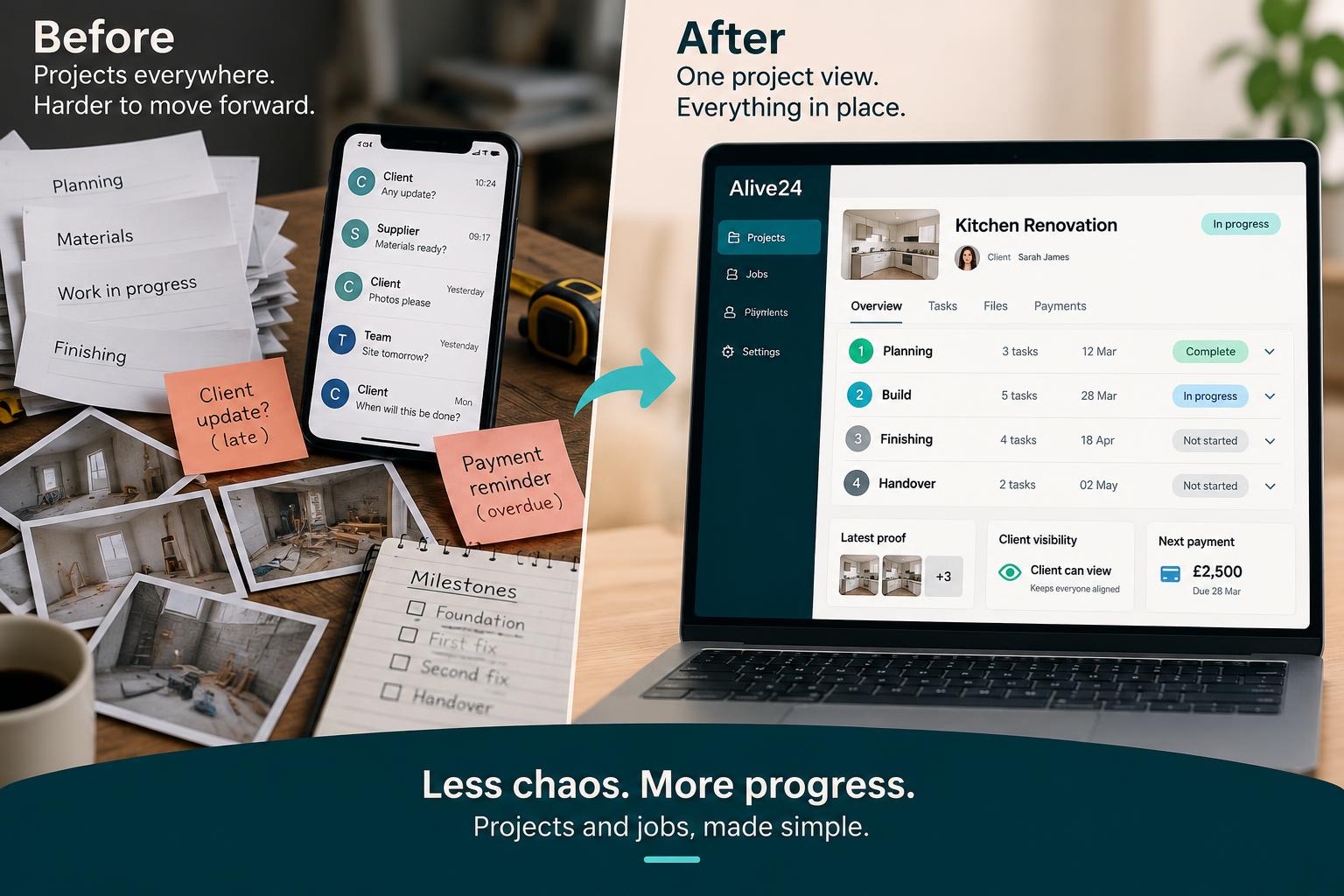
Before
- Stages held in memory
- Tasks scattered across apps
- Progress explained through messages
- Files and photos difficult to find
- Client actions unclear
- Milestone invoices remembered late
- The finish line hard to see
After
- Every stage clearly visible
- Tasks connected to deadlines
- Progress and proof organised
- Client updates shared in one place
- Responsibilities made clear
- Payments connected to milestones
- The finish line always visible
Real examples
One system that adapts to the work you actually deliver.
Trades, wellness and professional services—same simple structure, different stages.
- A landscaper moving through site prep, groundwork, planting and handover
- A builder with staged deadlines, progress photos and progress payments
- A naturopath managing a client program of sessions, actions and follow-ups
- A coach delivering a six-session package with client tasks and payments
- A healer managing preparation, session notes and remaining payments
- A website designer managing discovery, copy, design, review and launch
- A marketing professional delivering an ongoing campaign in stages
- A consultant managing research, planning, delivery and reporting
- A creative business managing concepts, revisions and final assets
- A project created straight from an accepted quote
- A familiar job started from a saved workflow
- Progress photos attached to the right stage
- A client update shared without another meeting
- A milestone invoice connected to real progress
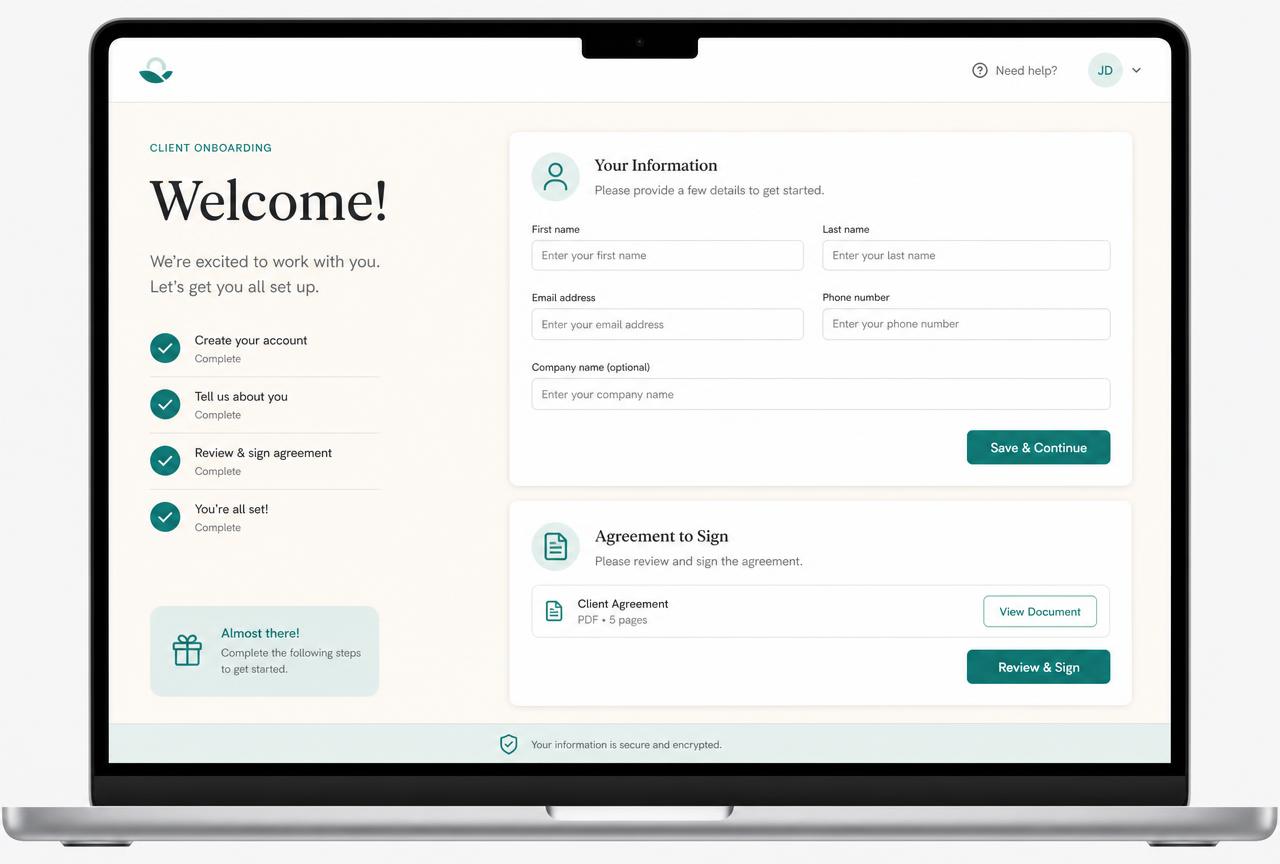 Project stages
The route is immediately clear
Every stage and target date stays visible.
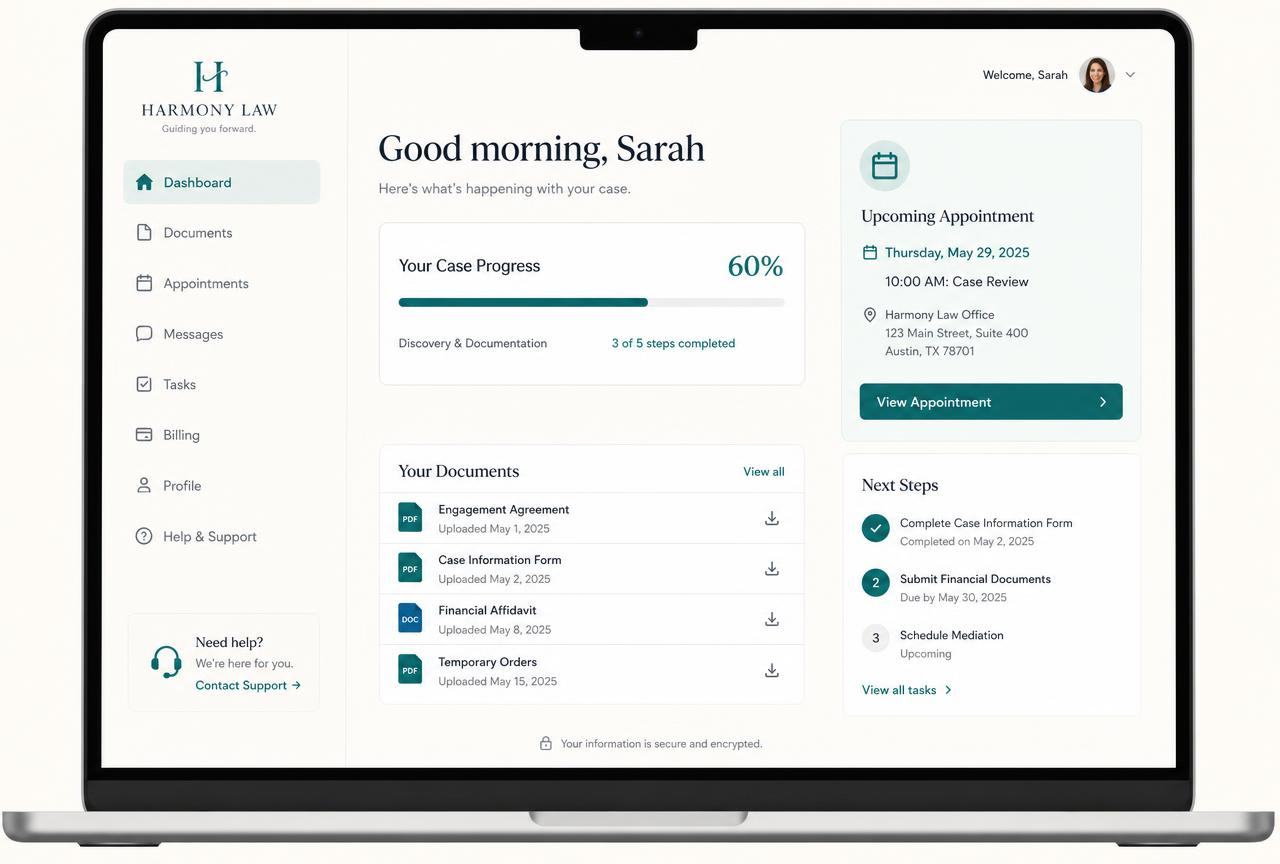 Client connection
The whole job has context
Scope, history and next steps stay attached.
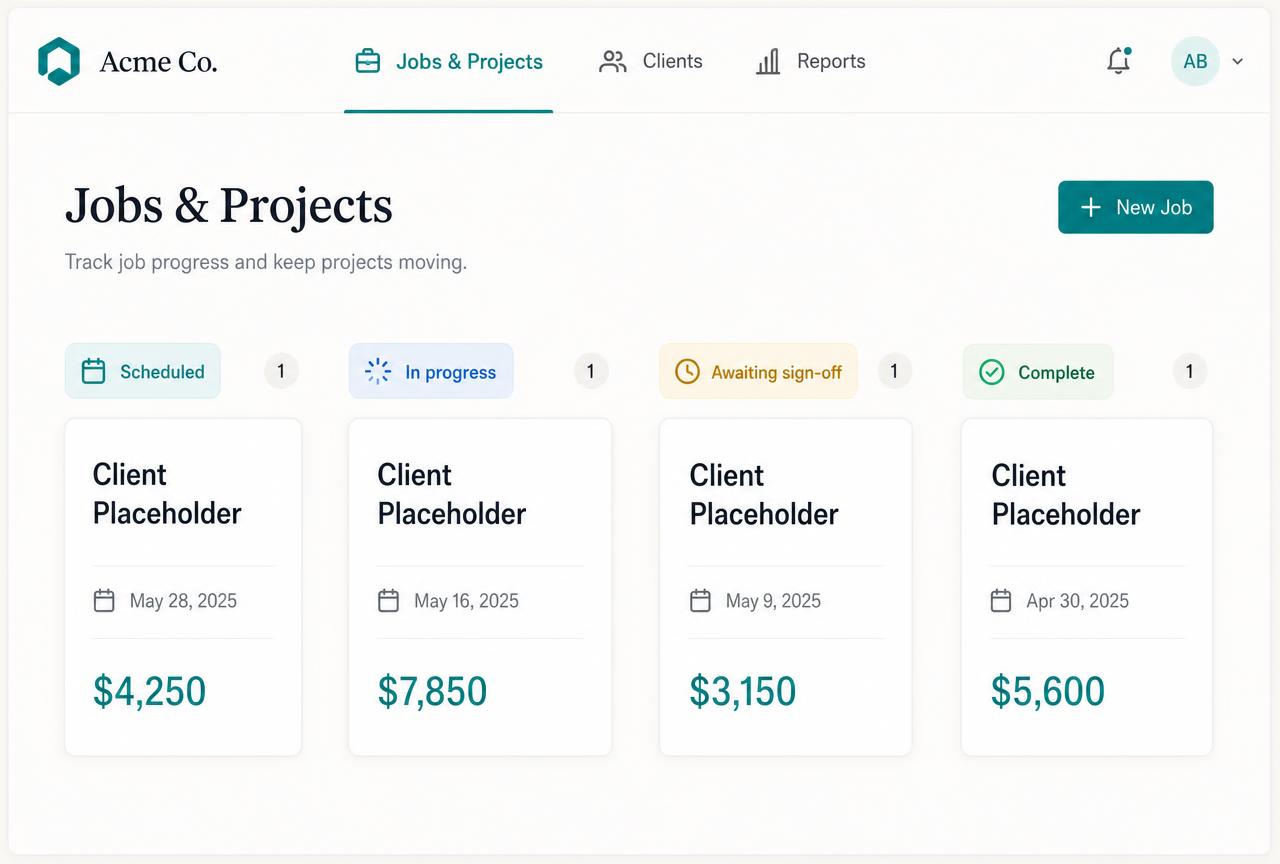 Tasks + deadlines
The work is manageable
Each action belongs to the right stage.
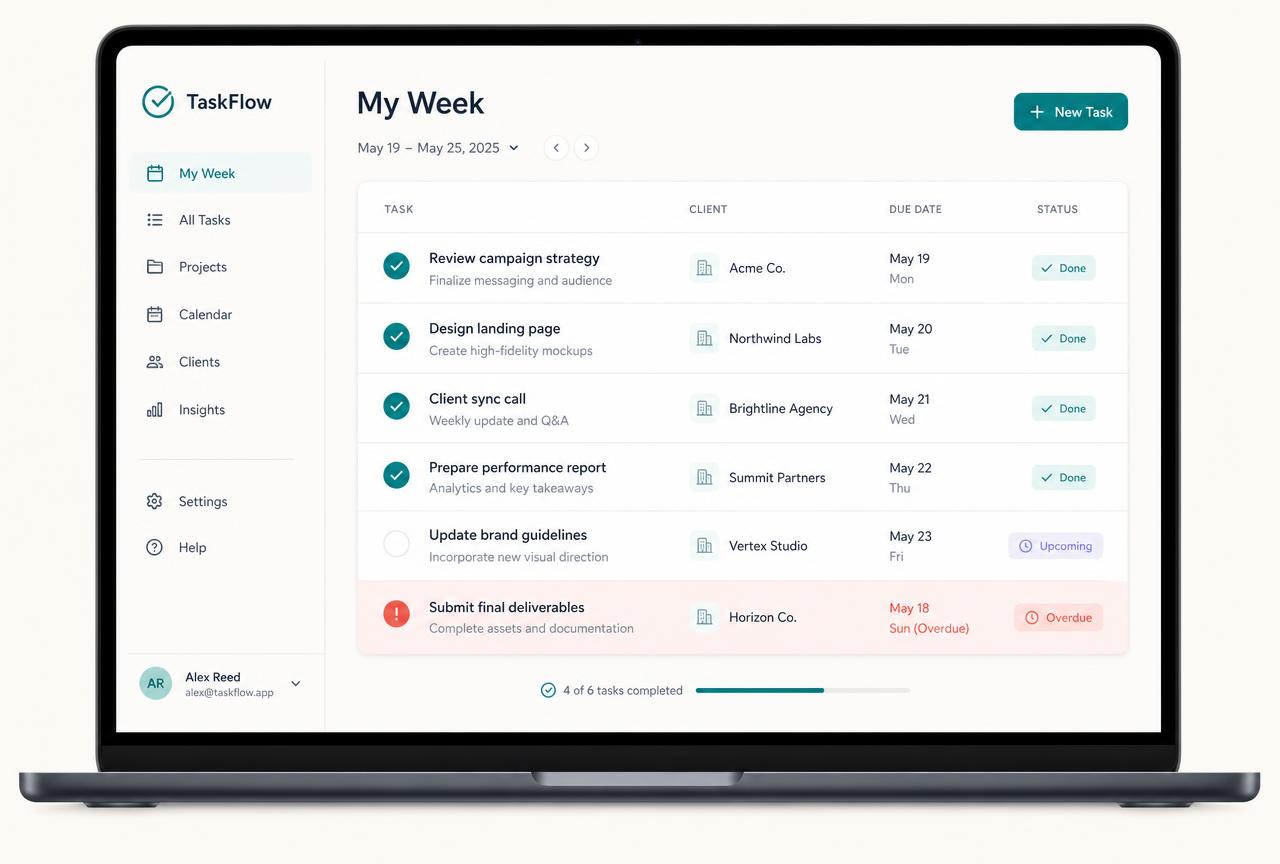 People + access
Everyone knows what they own
Helpers see only their work, for as long as you allow.
 Progress + risk
Nothing slips quietly
Proof is recorded and late work is flagged.
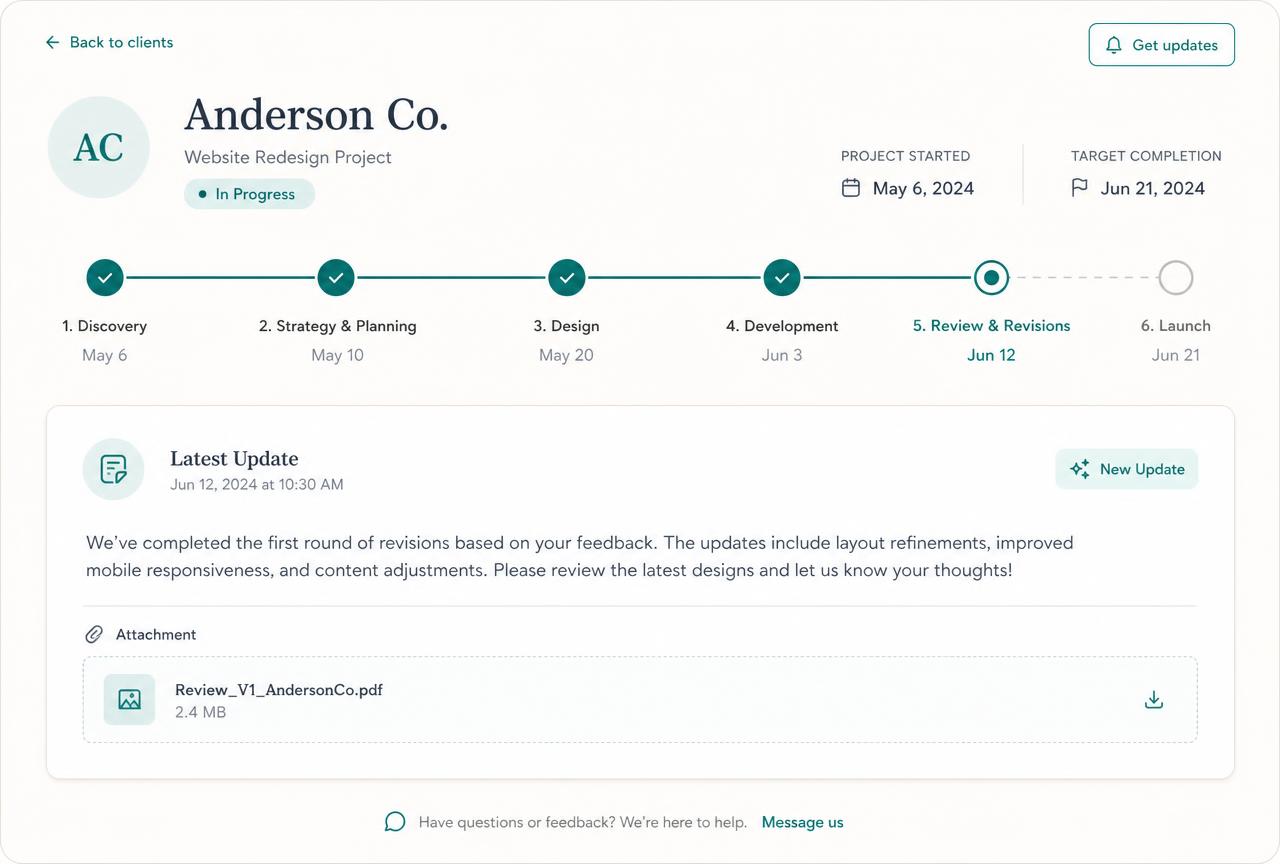 Finish line
The job closes cleanly
Handover and final payment stay visible.
Swipe or scroll for more
Prefer to speak to someone? Book a Live Walkthrough
Two simple views
Manage the work privately—share the progress professionally.
Your working view holds the whole job. Your client sees only what you decide to show them.
- Every stage
- Stage deadlines
- Tasks and priorities
- Who is responsible
- Private notes
- Internal costs
- Work falling behind
- All attachments
- Payment milestones
- Next action
One place for every stage, task, deadline, file, payment point and next action—plus a quiet warning when something slips.
Internal notes, costs, drafts and business-only deadlines stay inside your side of the system.
- Approved stages
- Relevant dates
- Client tasks
- Progress updates
- Milestones
- Progress photos
- Shared documents
- Upcoming sessions
- Payments due
- Completed work
Choose which stages, updates, photos, documents, sessions and next steps appear in the Client Management Area.
Your client never logs into a project tool or learns another app. Nothing private appears unless you share it.
See a real project dashboardReal proof
The project stays clear—so you can focus on doing the work.
Working Alive24 examples show project stages, voice-created plans, deadlines, client views, progress proof, attached files and payment milestones.
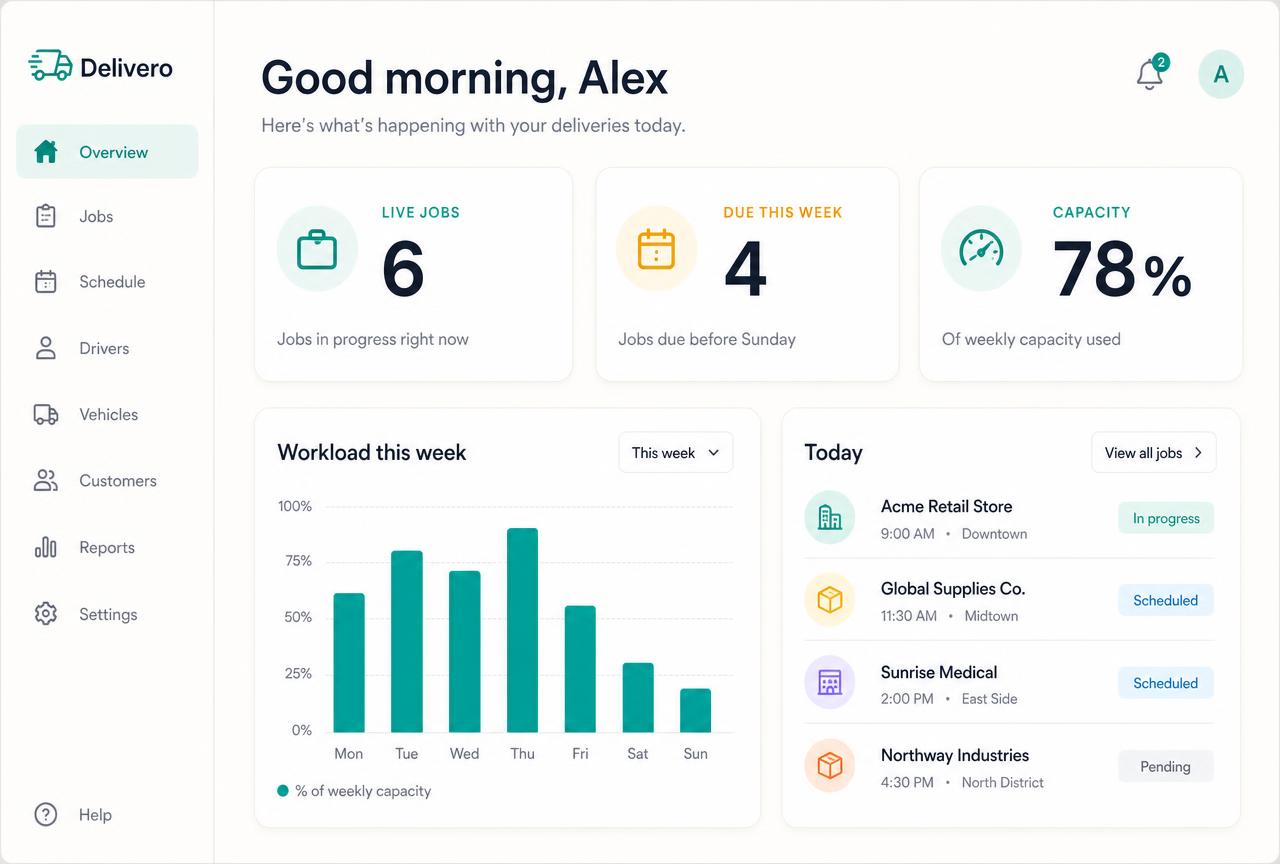
These are realistic Alive24 product examples. The exact stages, tasks, visibility and updates are configured around how the solo business delivers.
Prefer to speak to someone? Book a Live Walkthrough
Prefer to speak to someone? Book a Live Walkthrough
What you actually receive
See the stage, the deadline, the proof and exactly what happens next.
Enough to run a real job—without an enterprise dashboard getting in the way.
Project
The job and its client
- Project name and client
- Start and target dates
- Accepted scope
- Current stage
Stage
The route to completion
- Industry-ready stages
- Stage deadlines
- Tasks and responsibility
- Simple progress
Visibility
The right view for each person
- Private business work
- Approved client updates
- Progress photos and files
- Access you control
Milestone
Proof, payment and finish
- Attachments and proof
- Deposit and progress payments
- Late work flagged
- Handover and history
Prefer to speak to someone? Book a Live Walkthrough
A simple project dashboard
See the stage, the deadline, the proof and exactly what happens next.
Enough to run a real job—without an enterprise dashboard getting in the way.
“Luke’s landscaping project · groundwork in progress”
Stages, deadlines, tasks, proof and visibility connected to the client and accepted quote.
- 01
Every stage has context
The client, accepted scope, deadline, proof and next action stay together.
- 02
Private and client views stay deliberate
Internal costs, notes and drafts stay private; approved progress can be shared.
- 03
Every completion records progress
Proof and progress update the project and keep the next action visible.
- Project name
- Client
- Start date
- Target completion
- Current stage
- Simple progress
- Stage deadlines
- Tasks
- Who is responsible
- At-risk work
- Client-visible setting
- Attachments
- Progress photos
- Related invoice
- Next action

Prefer to speak to someone? Book a Live Walkthrough
One simple project view instead of another complicated workspace.
From “Where are we up to?” to one clear view of the entire job.
Stages, deadlines, proof, client updates and payment points stay with the job—not scattered across subscriptions and message threads.
From accepted quote to completed work
See how accepted work becomes clear stages, recorded proof, an informed client and a completed project.
- 01
Proposal + quote accepted
The agreed client, scope and terms provide the starting point without retyping the sale.
Work accepted
- 02
Project created
The straightforward client project is created with its target outcome and dates.
Project ready
- 03
Stages + deadlines
Three or four clear stages make the route to completion immediately understandable.
Route is clear
- 04
Tasks + workflow
Actions sit under each stage with simple deadlines and basic responsibility.
Work is clear
- 05
Progress + proof
Relevant files, photos and completion evidence remain attached to the right stage.
Progress recorded
- 06
Client update
Only approved progress, relevant dates and next steps appear in the Client Management Area.
Client informed
- 07
Milestone payment
The related invoice and configured reminder stay connected to the project milestone.
Payment visible
- 08
Project completed
The final work, proof and project history remain attached to the client record.
Finish line reached
- No oversized project platform
- No client WhatsApp maze
- No shared-photo-folder hunt
- No checking everyone manually
Prefer to speak to someone? Book a Live Walkthrough
Connected, not bundled
Every project connects to the client, tasks, payments and proof behind it.
Projects + Jobs sits inside Deliver, carrying accepted work through stages, deadlines, proof, client updates, milestone payment and completion.
- 1Client Management AreaShows only the project progress intentionally approved for the client.
- 2Tasks + WorkflowsCarries the actions that move each project stage forward.
- 3Team SchedulingDecides when the work happens and who is responsible.
- 4Team ManagementHolds the roles, access, agreements and approved hours behind each person.
- 5AI Operations ManagerFlags delays, overruns, missing notes and the decisions that need you.
- 6Bookings + CalendarSupplies sessions, dates and scheduled work time.
- 7CRM + PipelinePreserves the lead and client context behind each action.
- 8Proposals + QuotesCarries the work and terms that were agreed.
- 9Invoices + PaymentsKeeps relevant milestone payments connected to progress.
- Tasks + Workflows handles the actions inside every stage
- Client Management Area shows only the progress you approve
- Team scheduling and management show who is on what and what’s due
- The AI Operations Manager watches for delays, risks and missing updates
- Bookings + Calendar supplies sessions and scheduled work time
- CRM + Pipeline keeps the relationship history attached
- Proposals + Quotes carries the accepted scope straight in
- Invoices + Payments connects deposits, milestones and the final bill
- Business Dashboard and reporting show whether the job is on track
- Projects + Jobs is part of Alive24. Clients see only approved information; internal notes, costs, tasks, discussions, drafts and private files remain protected. Solo supports one owner plus two helpers.
Protect your client time
Give clients confidence without another complicated app to learn.
Show approved progress, proof and next steps clearly while protecting the time needed to complete excellent work.
Take the 2-minute project check
Free, no commitment, with a practical summary of the stages, proof and client updates to connect.
Start with SolomonPrefer to speak to someone? Book a Live Walkthrough
Explore the connected system
See how every project connects across delivery, sales and your numbers.
Projects + Jobs stays centred on Deliver while preserving the accepted scope, client, tasks, proof and payment context.
You
One voice note. One change.
Voice note → Website updated
Prefer to speak to someone? Book a Live Walkthrough
Questions
Projects + Jobs—the questions solo operators actually ask.
Still unsure? The full demo answers most of it in a few minutes, without a sales call.
Ready to run every job without becoming a project manager?
See how Alive24 keeps stages, tasks, people, client updates and payments connected from accepted work to final payment.
Book a Live Walkthrough
Watch one accepted job become a clear project with stages, proof, updates and payments.
Book a Live WalkthroughSee How Deliver Works
Explore how projects, tasks, clients, sessions and payments stay connected.
See How Deliver WorksGet Alive24
Own the complete connected system, including Projects + Jobs and every Deliver tool.
Get Alive24